
How to Reset/ Reassign Training & Team Member Requirements
Steps
Reset Training/Team Member Requirements
From the Dashboard, Select People in the left sidebar

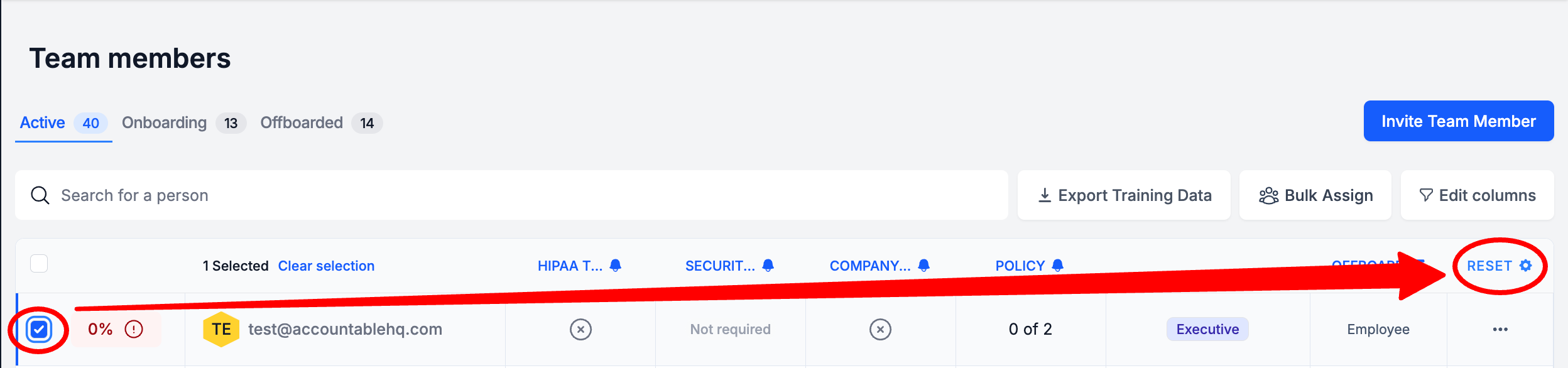
In the Team Members table, Select the checkbox next to a Team Member(s) > Select Reset above the Actions Column
Select the Training Course or Policy Review to Reset > Select Reset
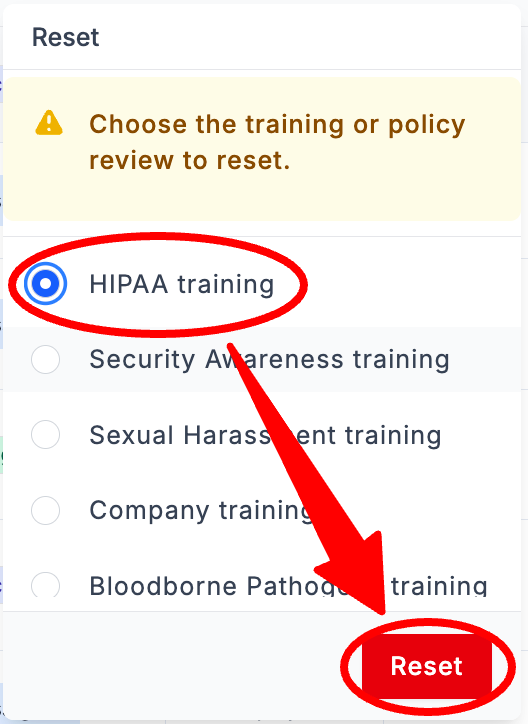
If you would like to Reset all Team Member requirements, you must complete these steps for each requirement that you would like to reset.
Updated 8 months ago
Did this page help you?