
How to Manage Incident Categories
Steps
- How to Add Templated Incident Categories
- How to Edit Incident Categories
- How to Create Incident Categories
How to Add Templated Incident Categories
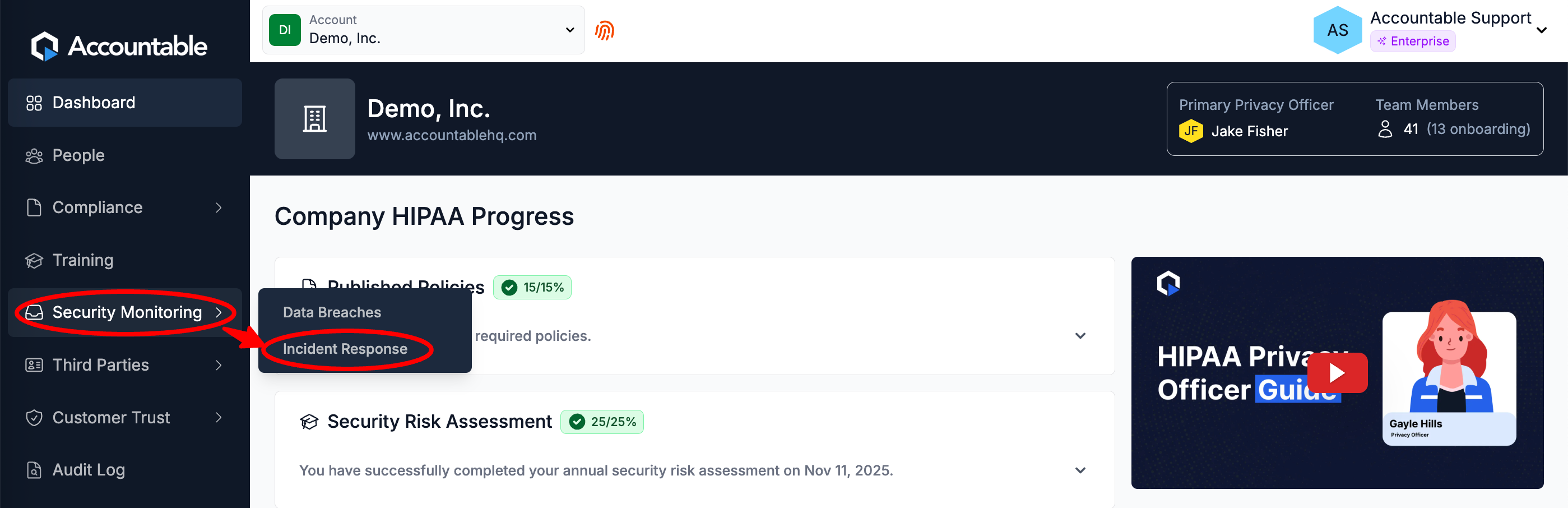
From the Dashboard, Select Security Monitoring > Incident Response in the left sidebar
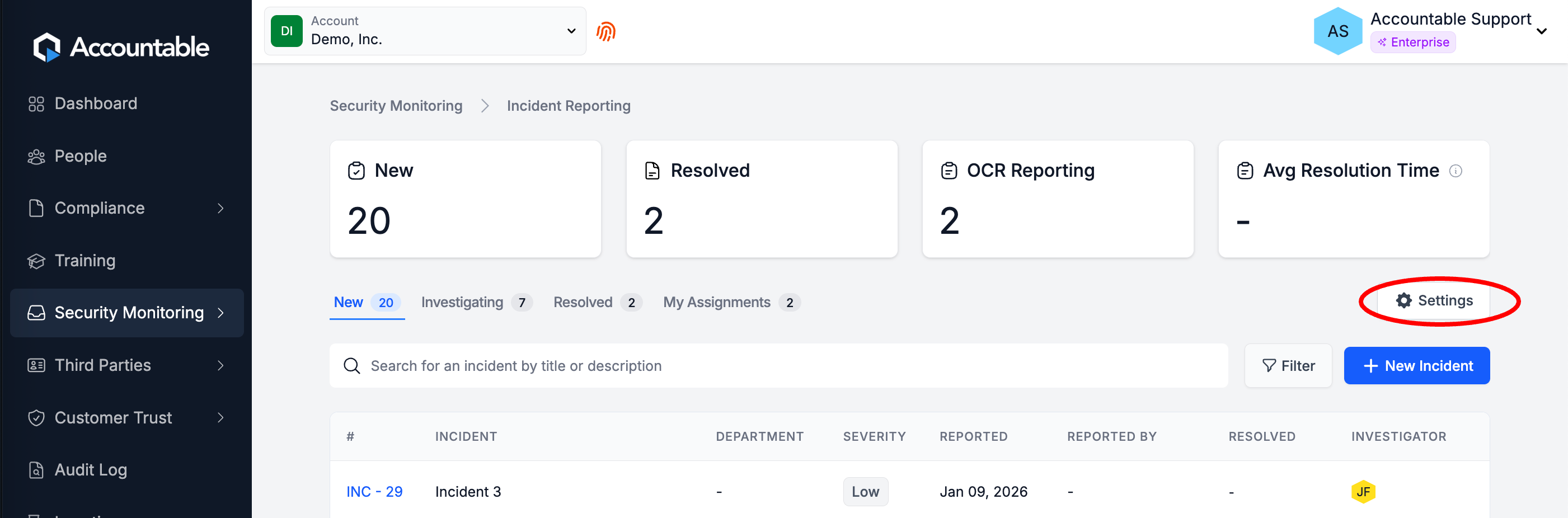
Select Settings
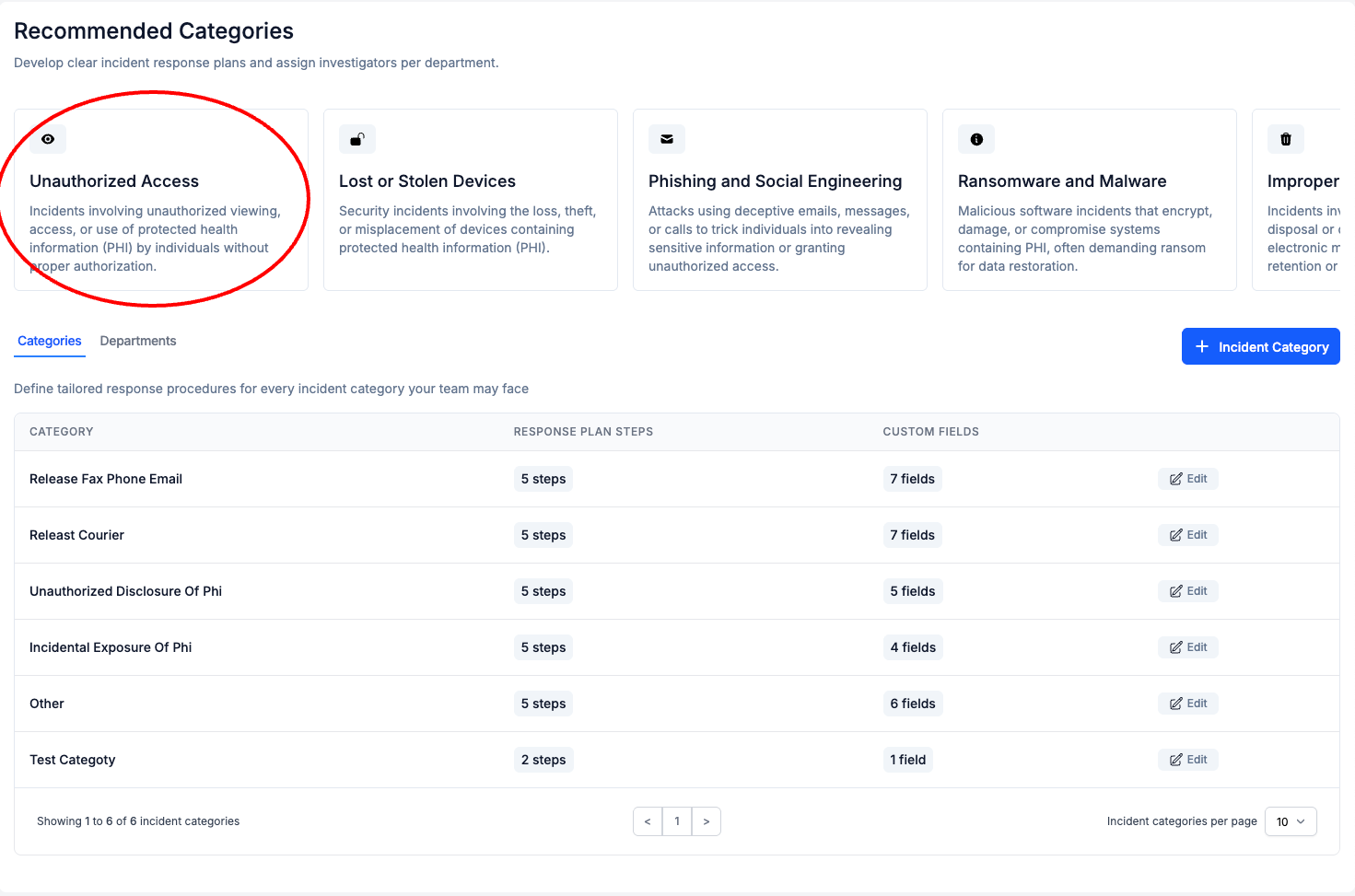
Select a Recommended Category
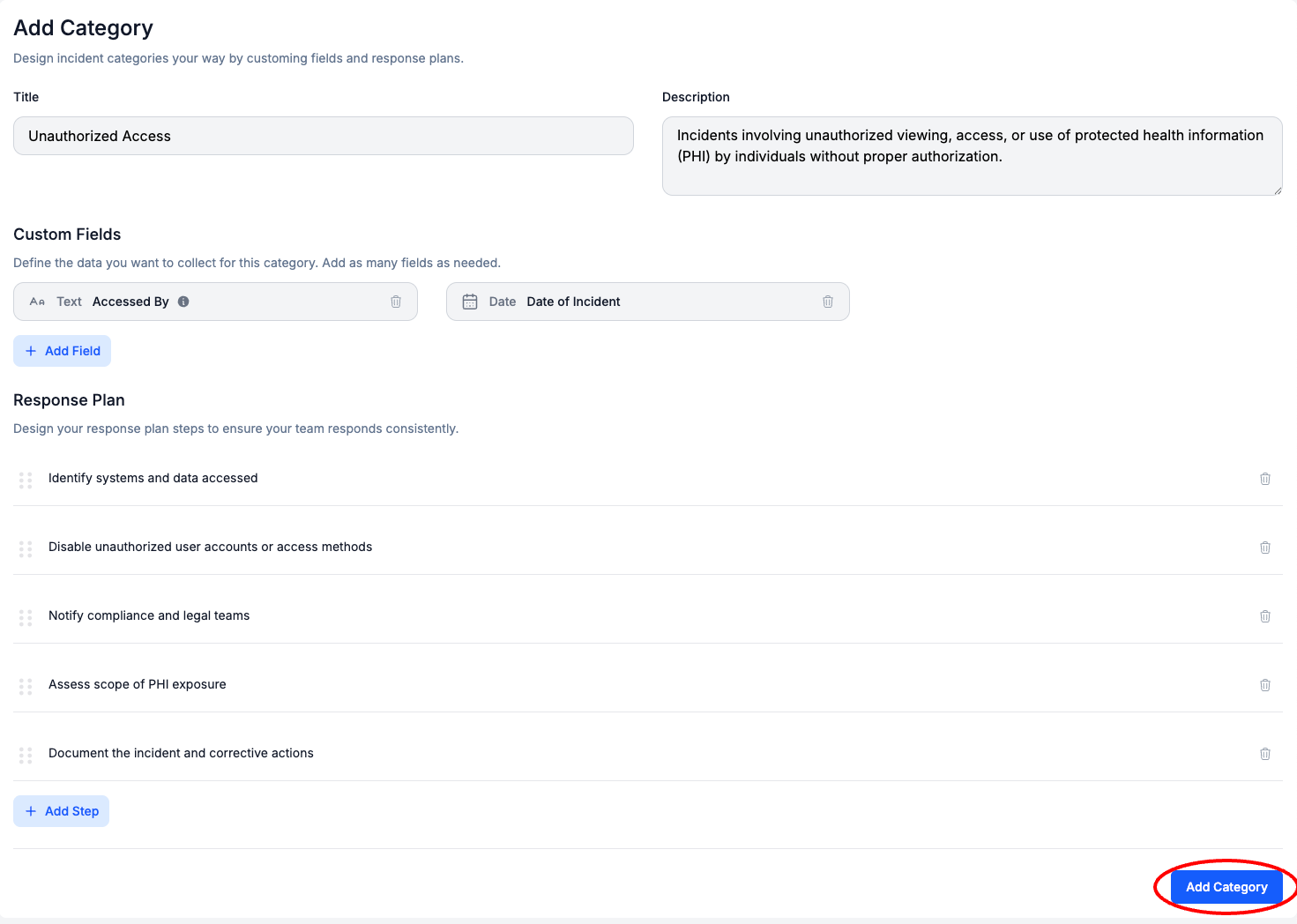
Review and Select Add Category
- Optionally, Edit the Incident Category
How to Edit Incident Categories
From the Dashboard, Select Security Monitoring > Incident Response in the left sidebar
Select Settings
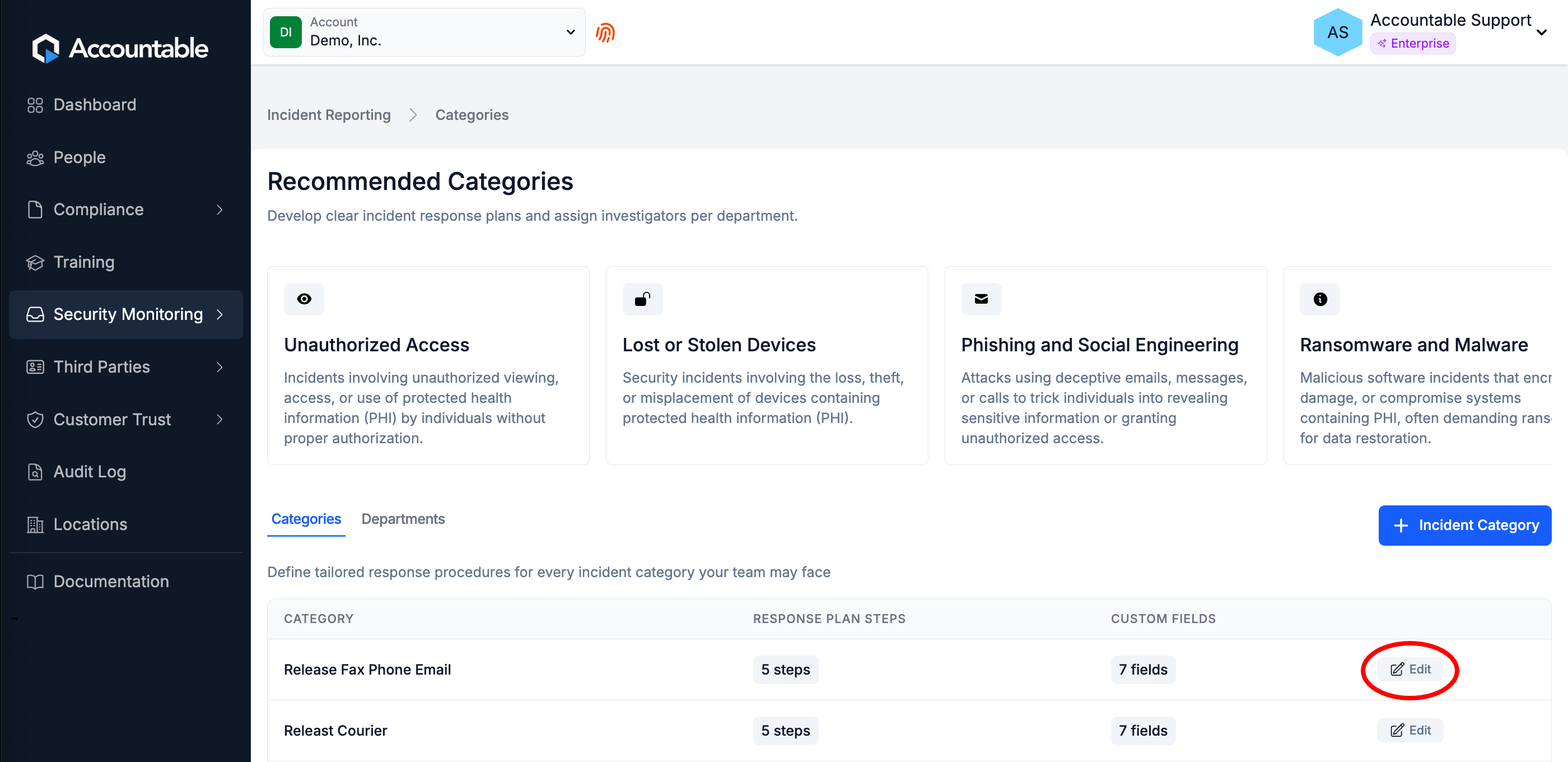
In the Categories tab, Select Edit to the right of the Category that you would like to edit
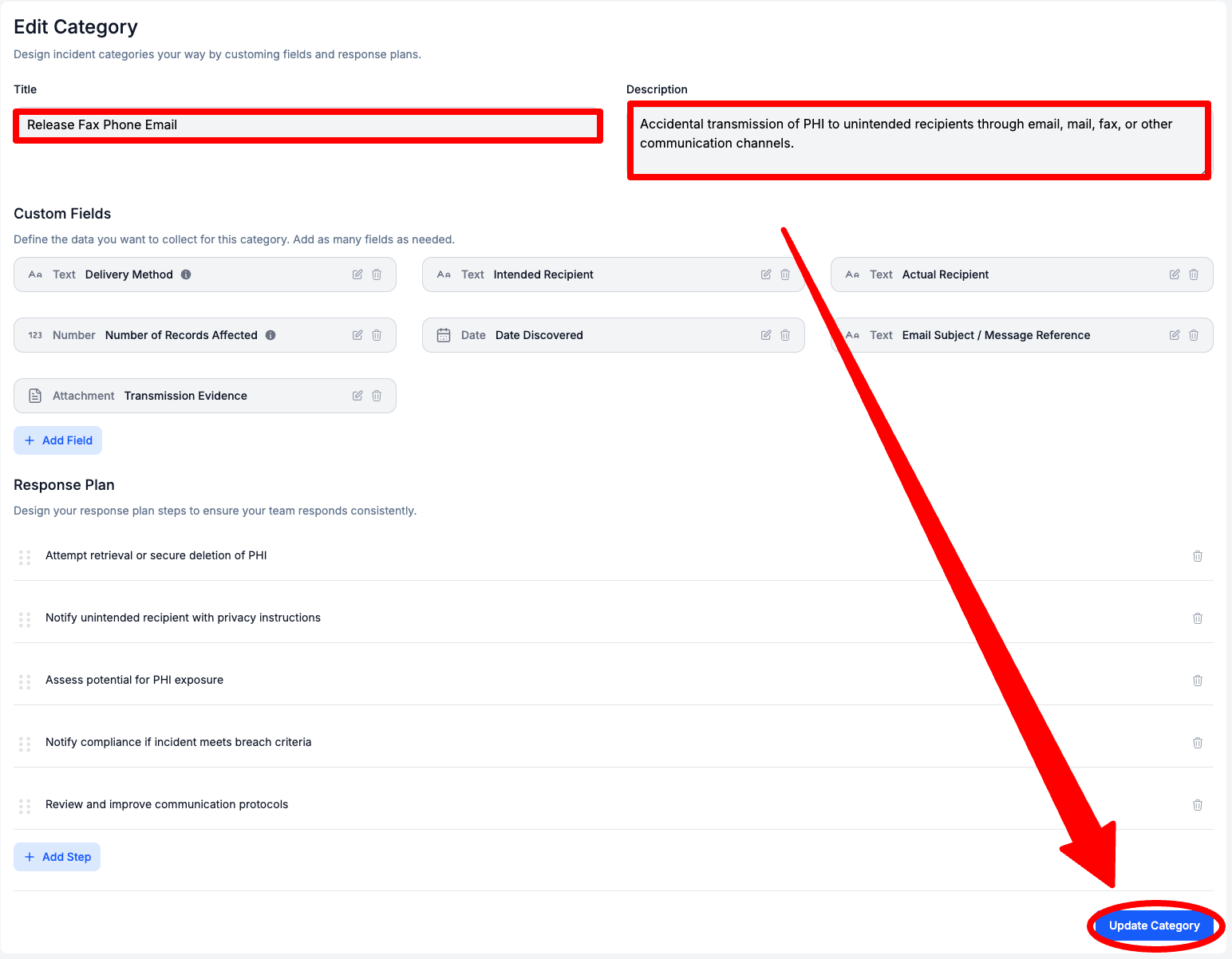
Here you can:
- Edit the Category Title and/or Description
- Edit Custom Fields
- Add Custom Fields
- Delete Custom Fields
- Edit Response Plan Steps
- Add Response Plan Steps
- Delete Response Plan Steps
How to Edit the Category Title and/or Description
Edit the Category Name and/or Description > Select Update Category
How to Edit Custom Fields
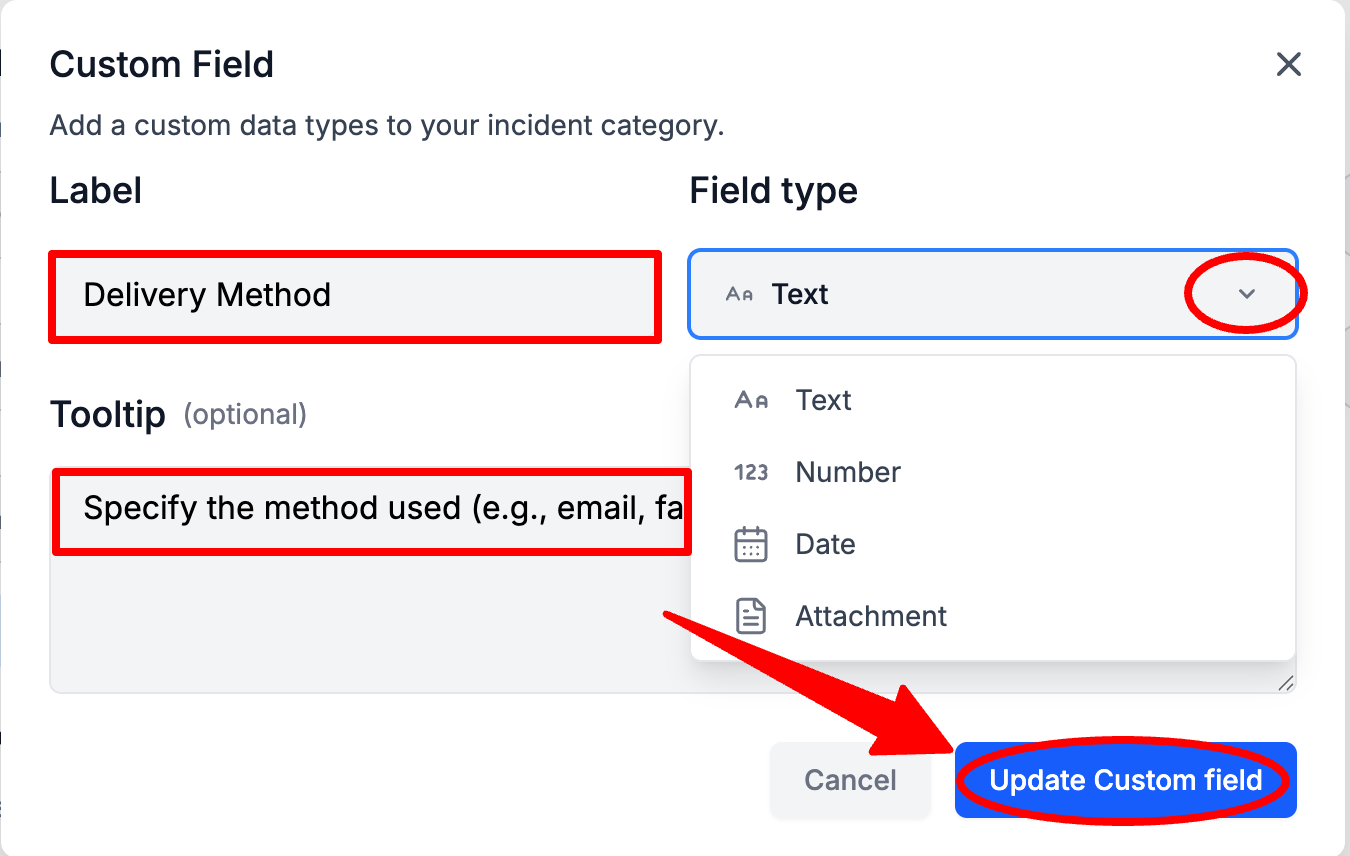
In the Custom Fields section, Select the Pencil Icon on the right of a Custom Field

Optionally, Enter a new Label, Select a new Field type, and/or Enter a new Tooltip > Select Update Custom Field
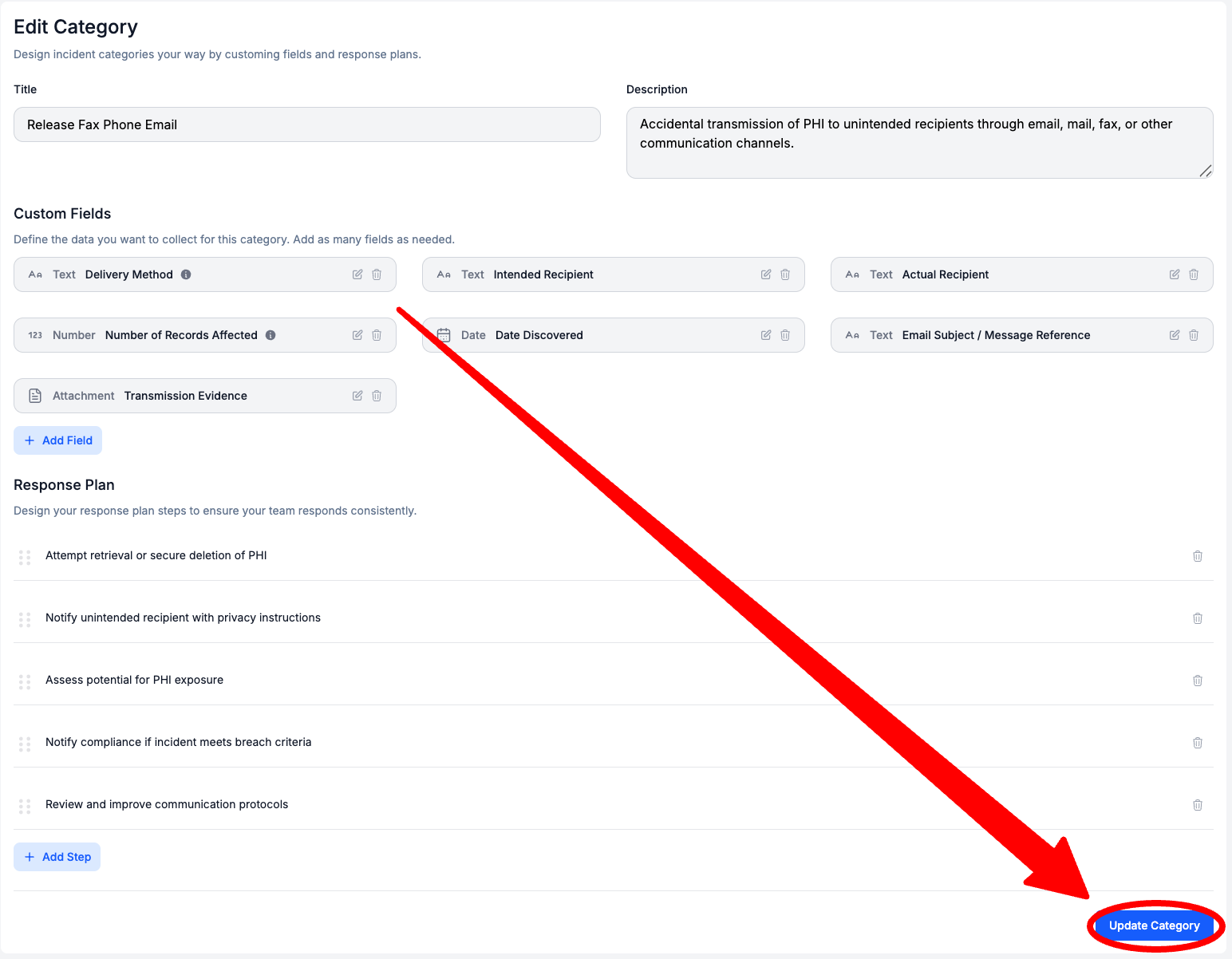
Select Update Category
How to Add Custom Fields
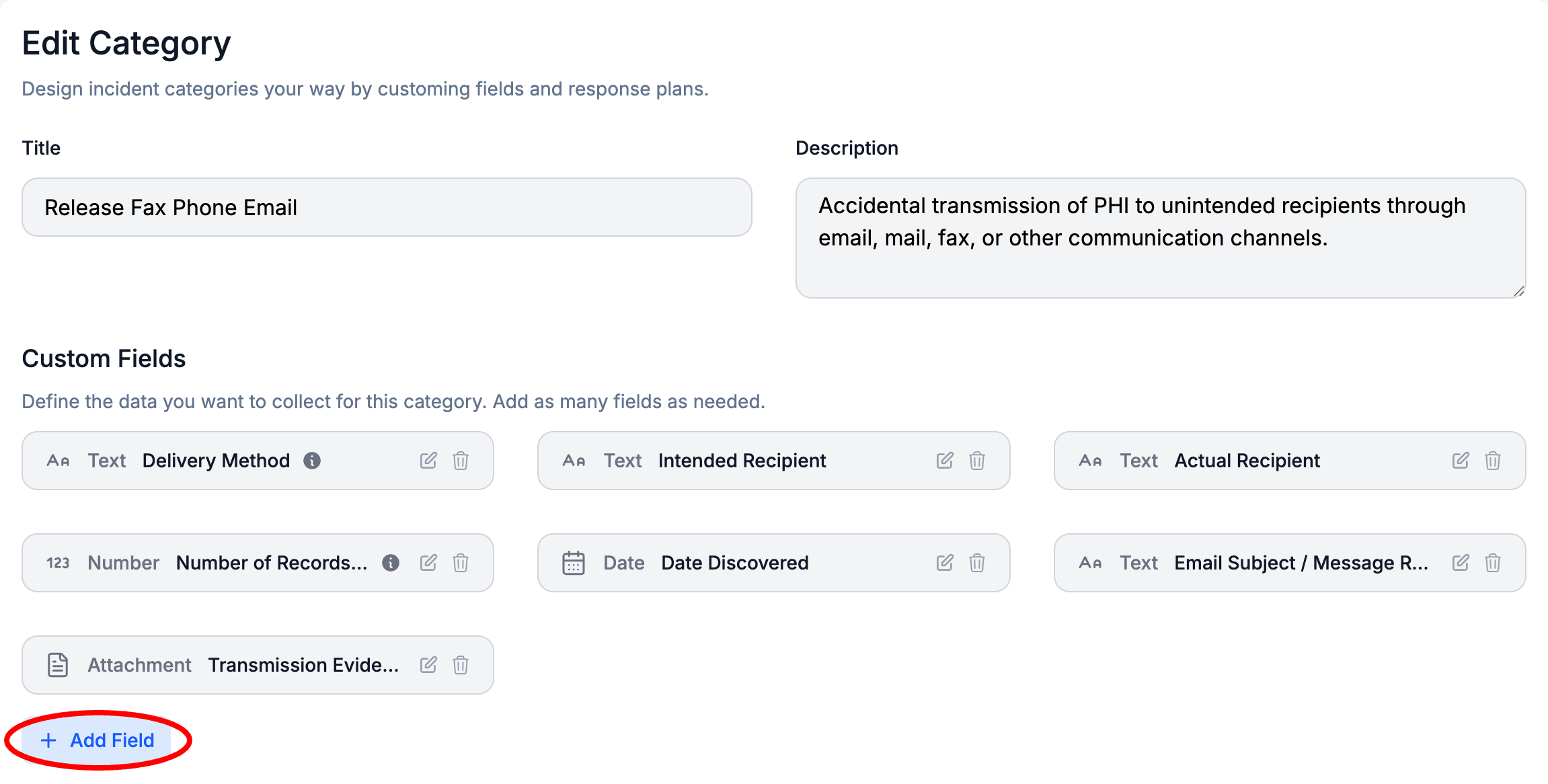
In the Custom Fields section, Select + Add Field
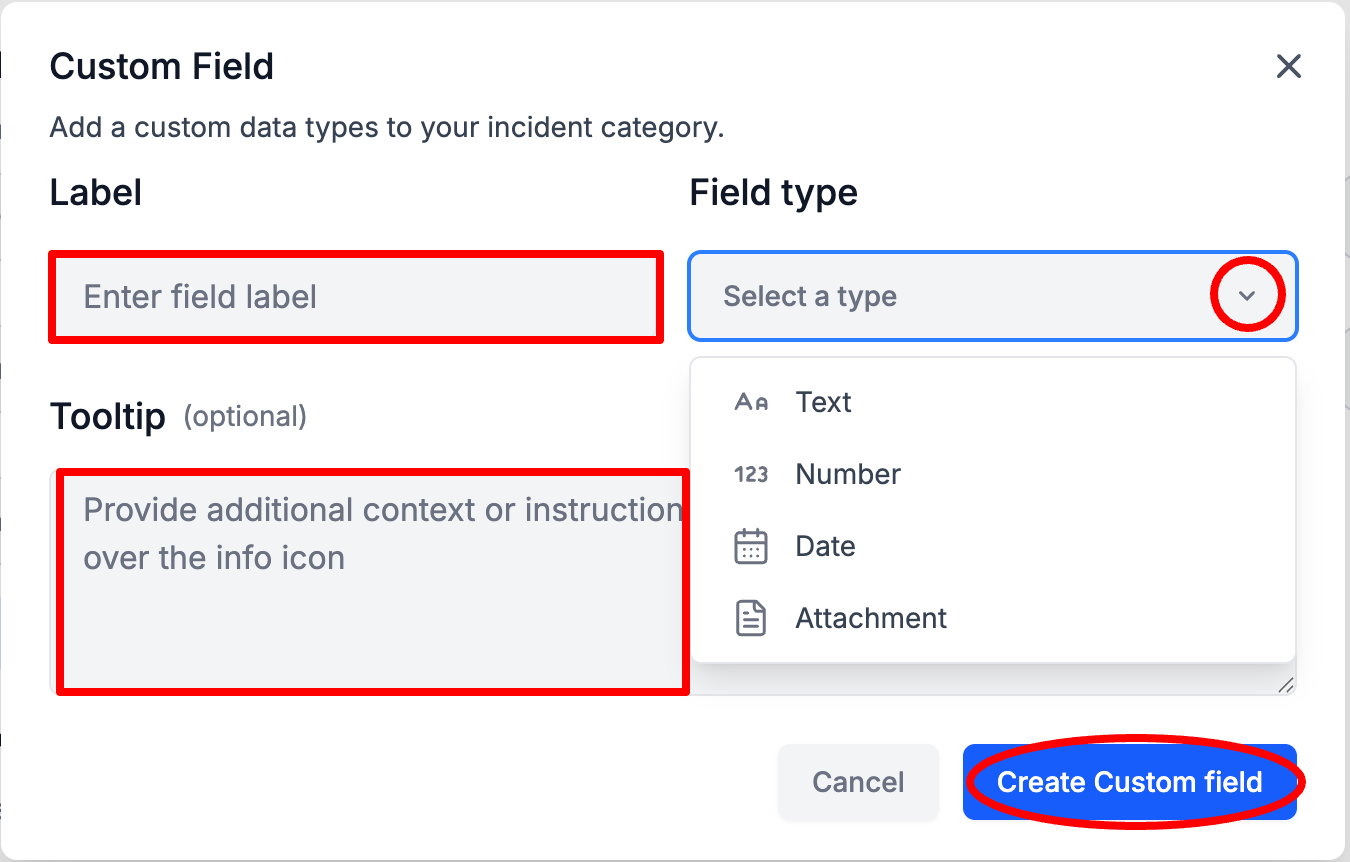
Enter the Custom Field Label and Field Type, and optionally Enter a Tooltip > Select Create Custom Field
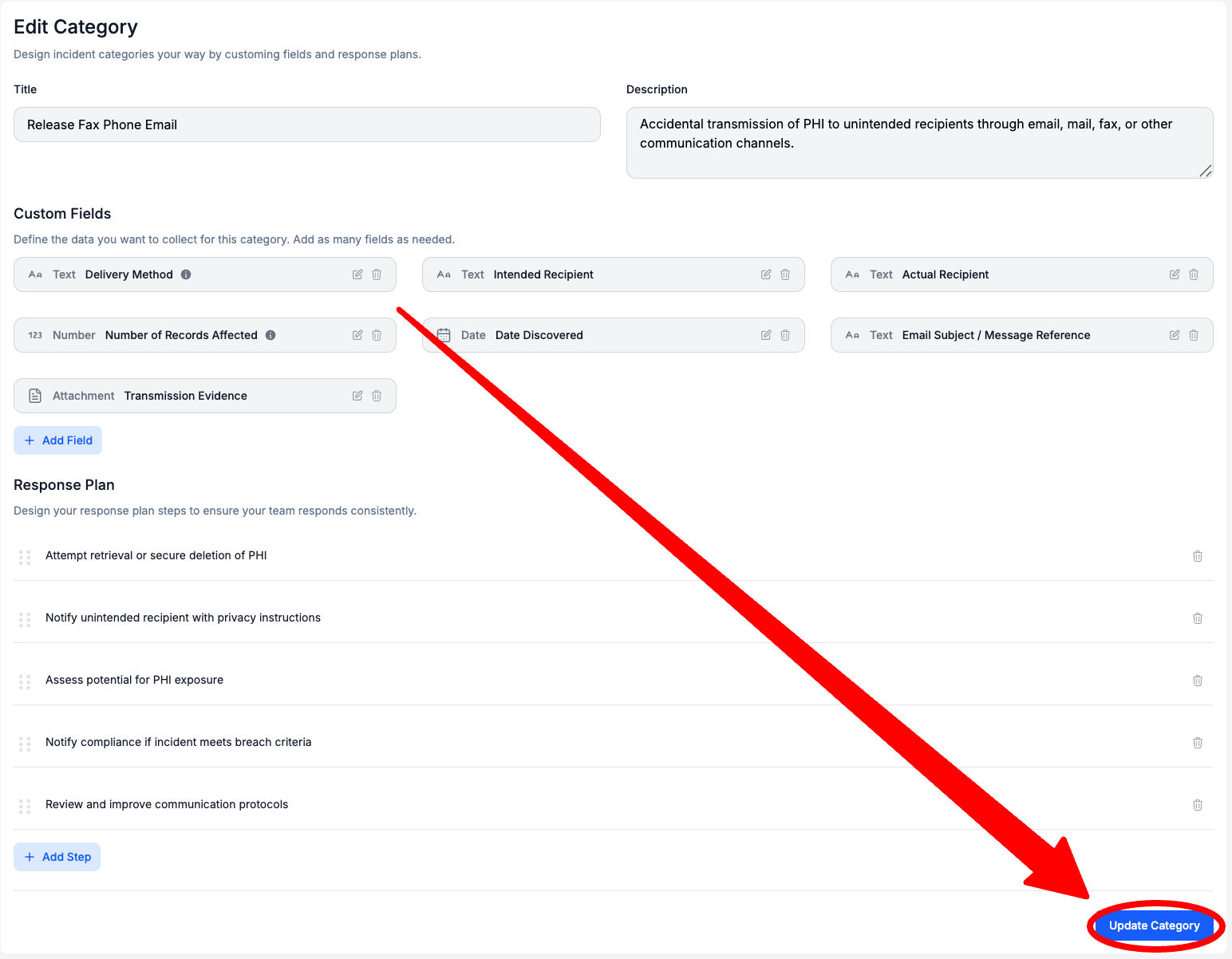
Select Update Category
How to Delete Custom Fields
Select the Trash Can Icon on the right of a Custom Field
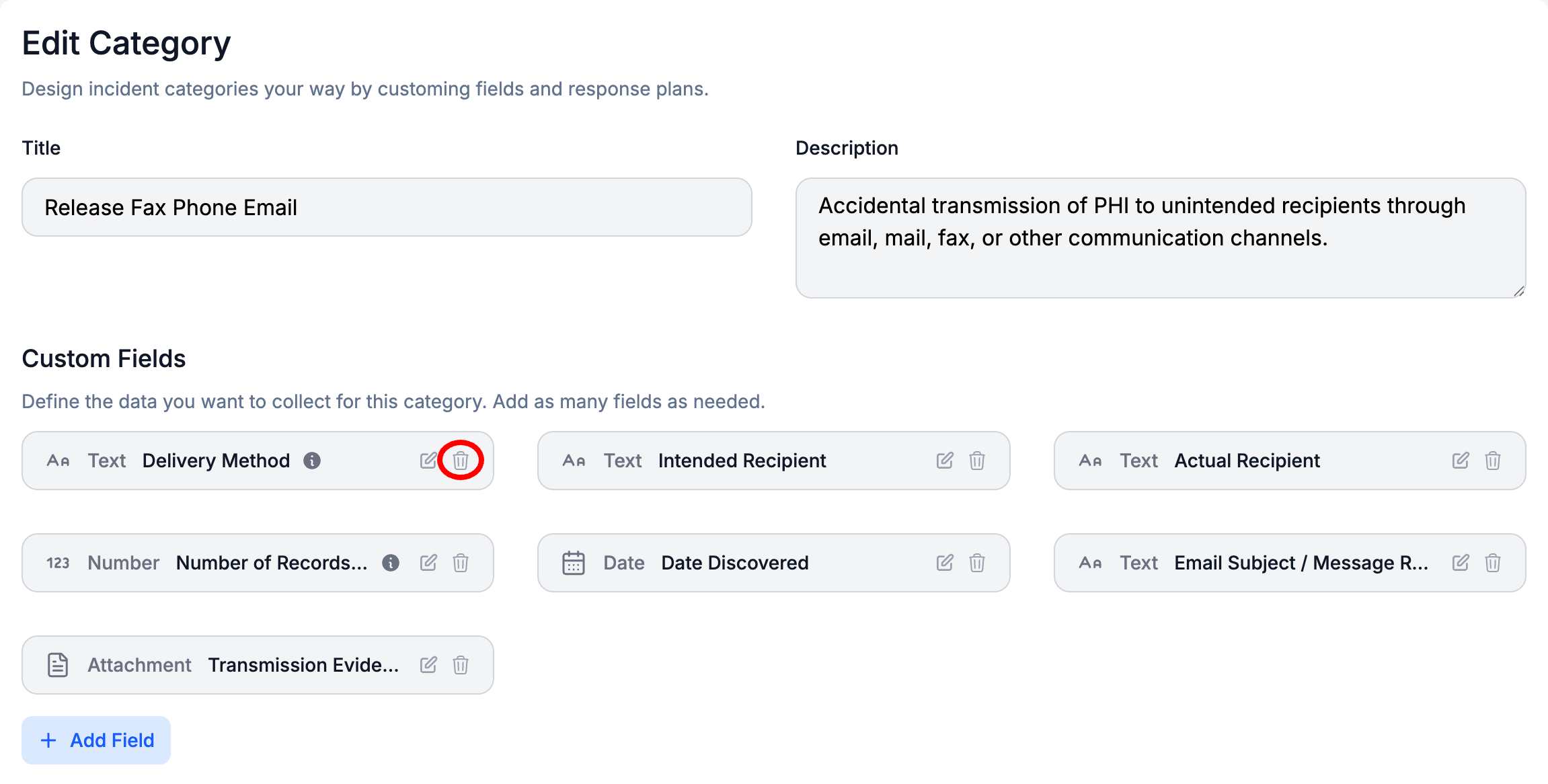
Select Update Category
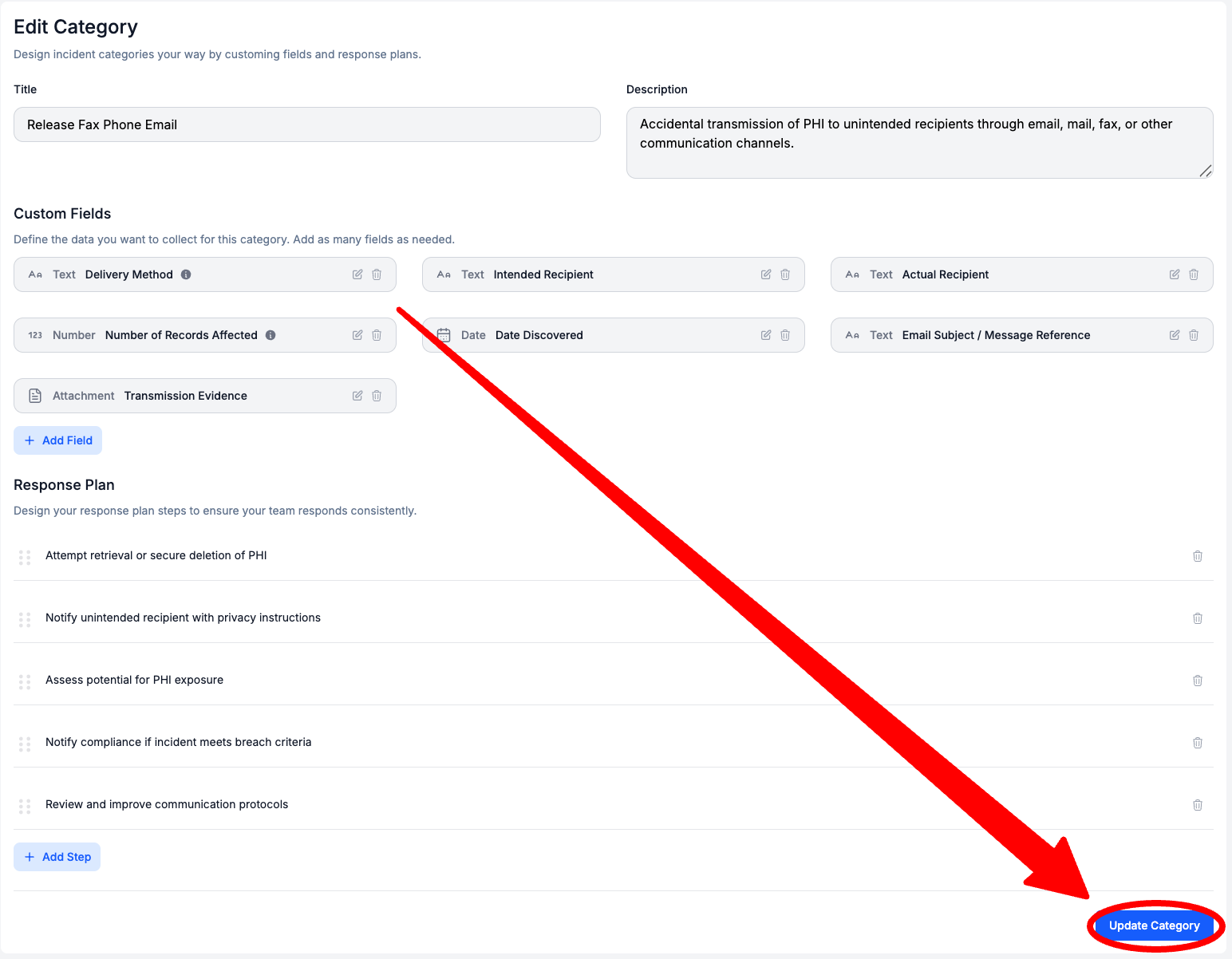
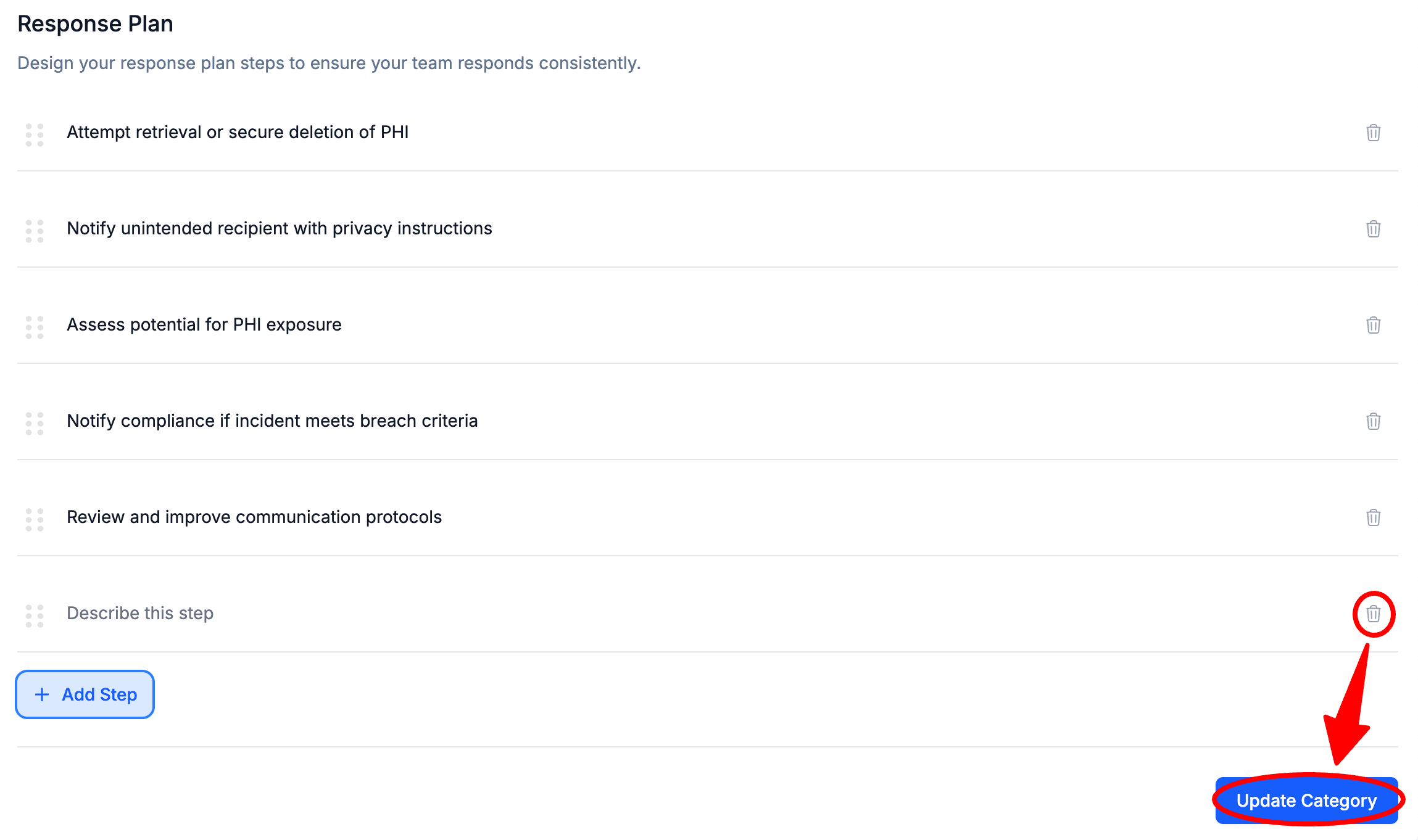
How to Edit Response Plan Steps
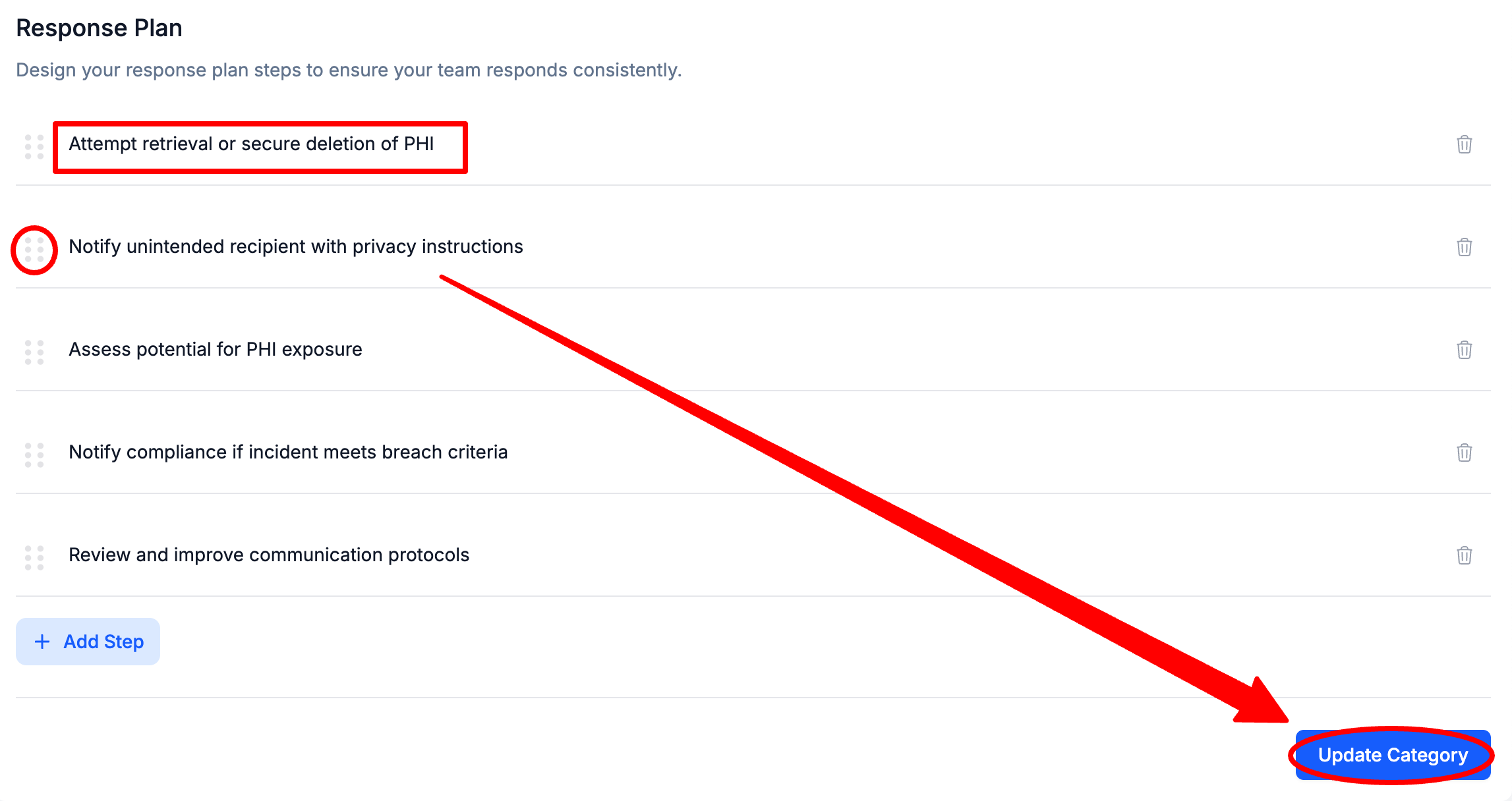
Click on a Response Plan Step and Enter a new Name and/or Select the 6 dots to the left of a Response Plan Step and Drag to Reorder > Select Update Category
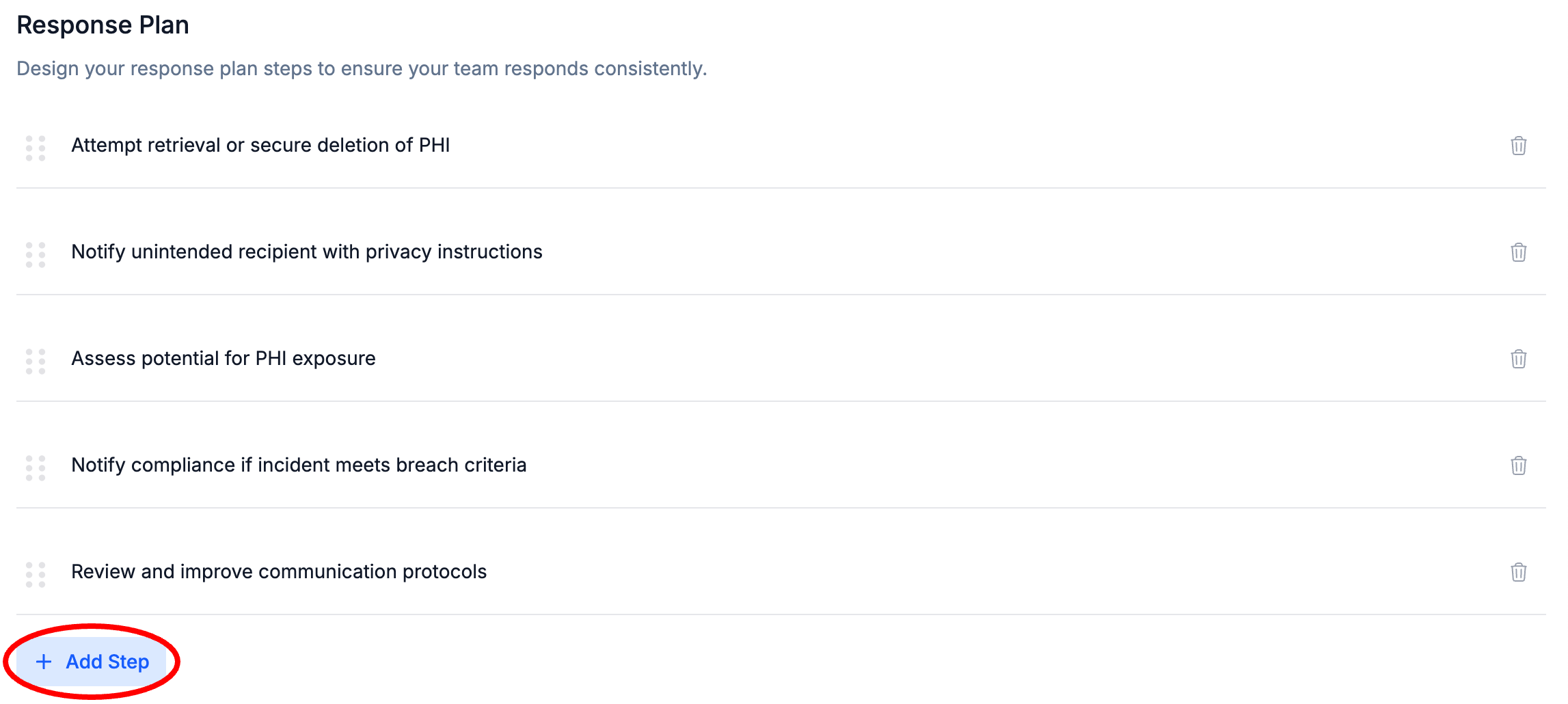
How to Add Response Plan Steps
Select + Add Step
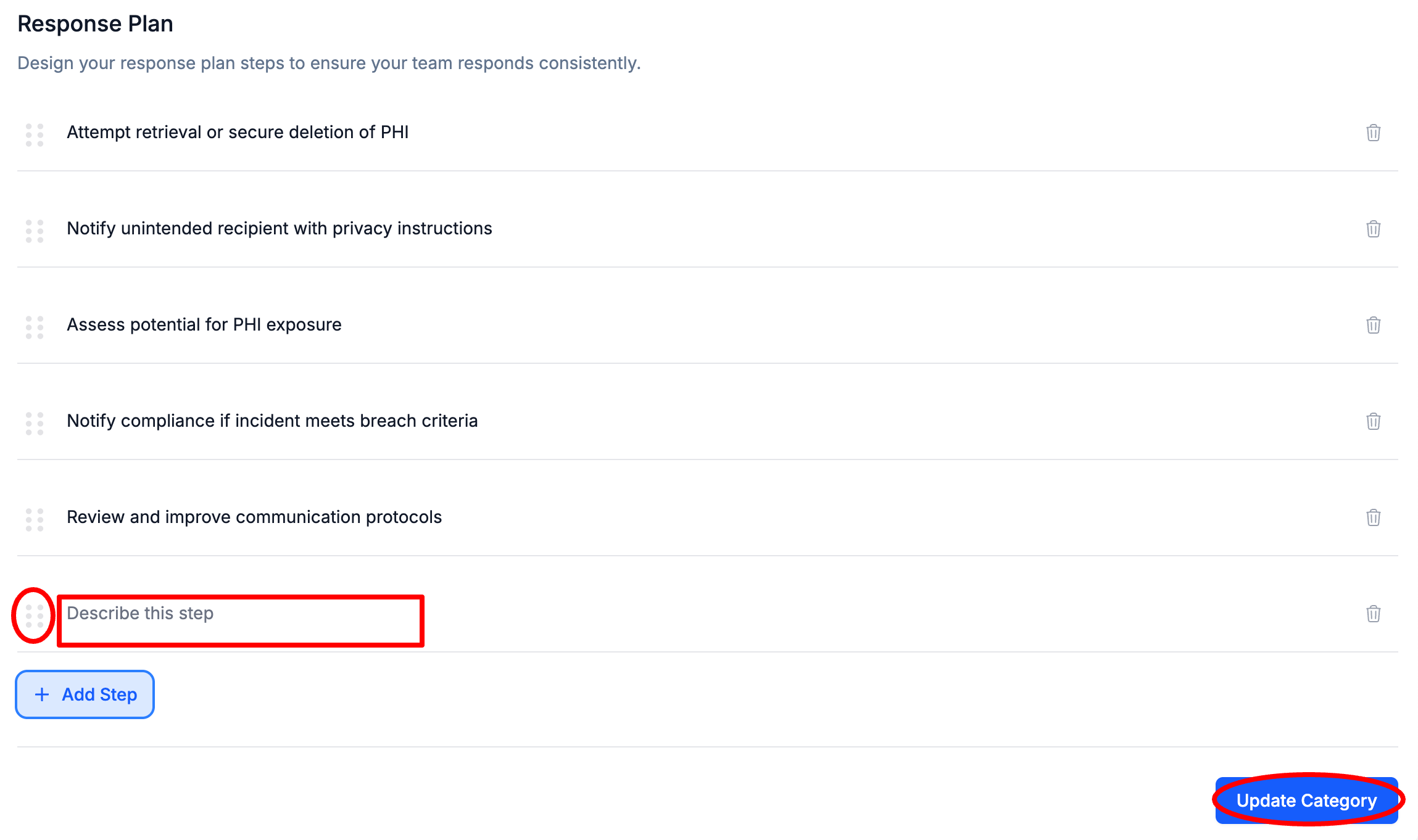
Click on the new Response Plan Step and Enter a Name for the Step and optionally Select the 6 dots to the left of a Response Plan Step and Drag to Reorder > Select Update Category
How to Delete Response Plan Steps
To the left of a Response Plan Step, Select the Trash Can Icon > Select Update Category
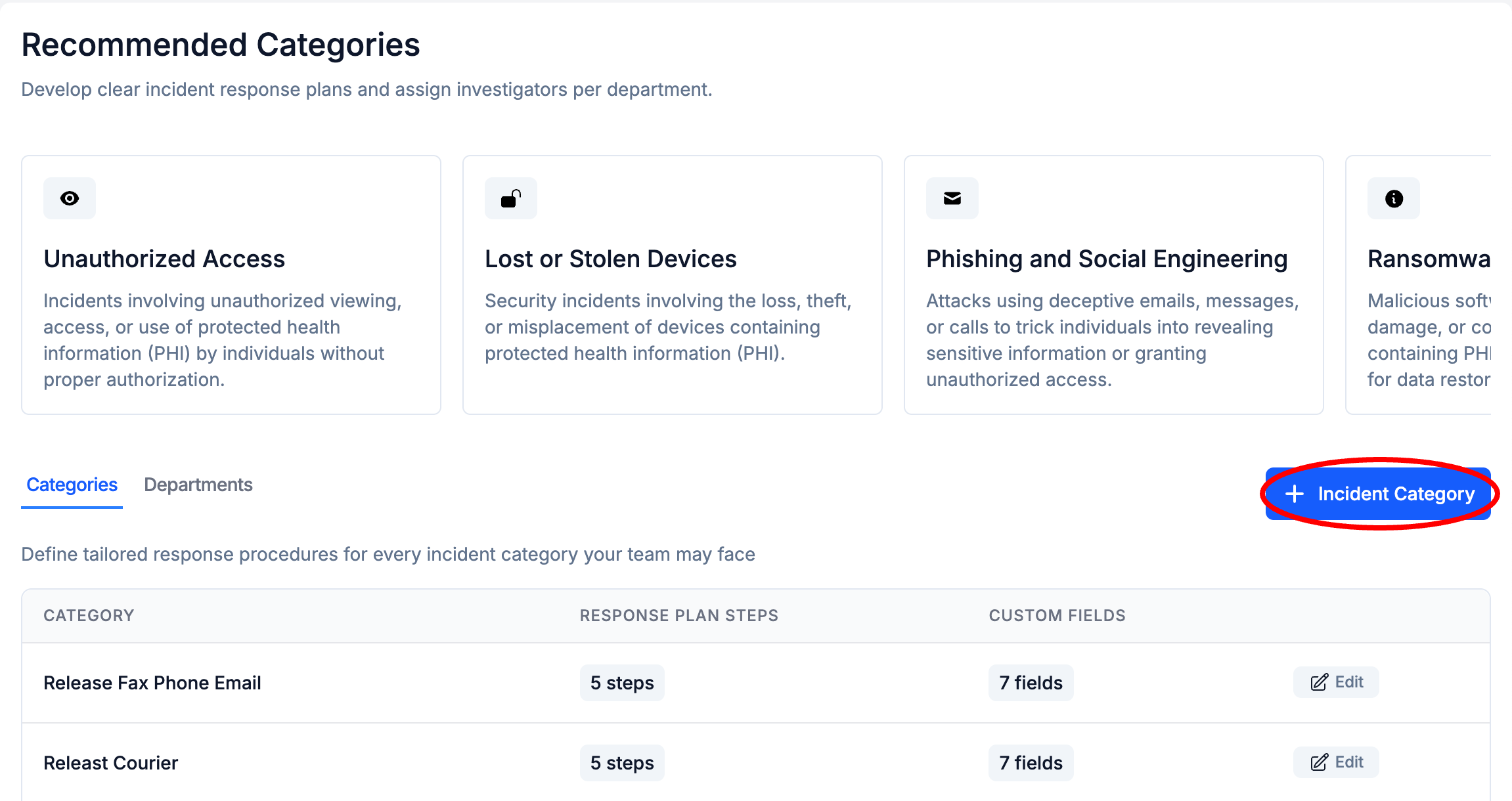
How to Create Incident Categories
Select + Incident Category
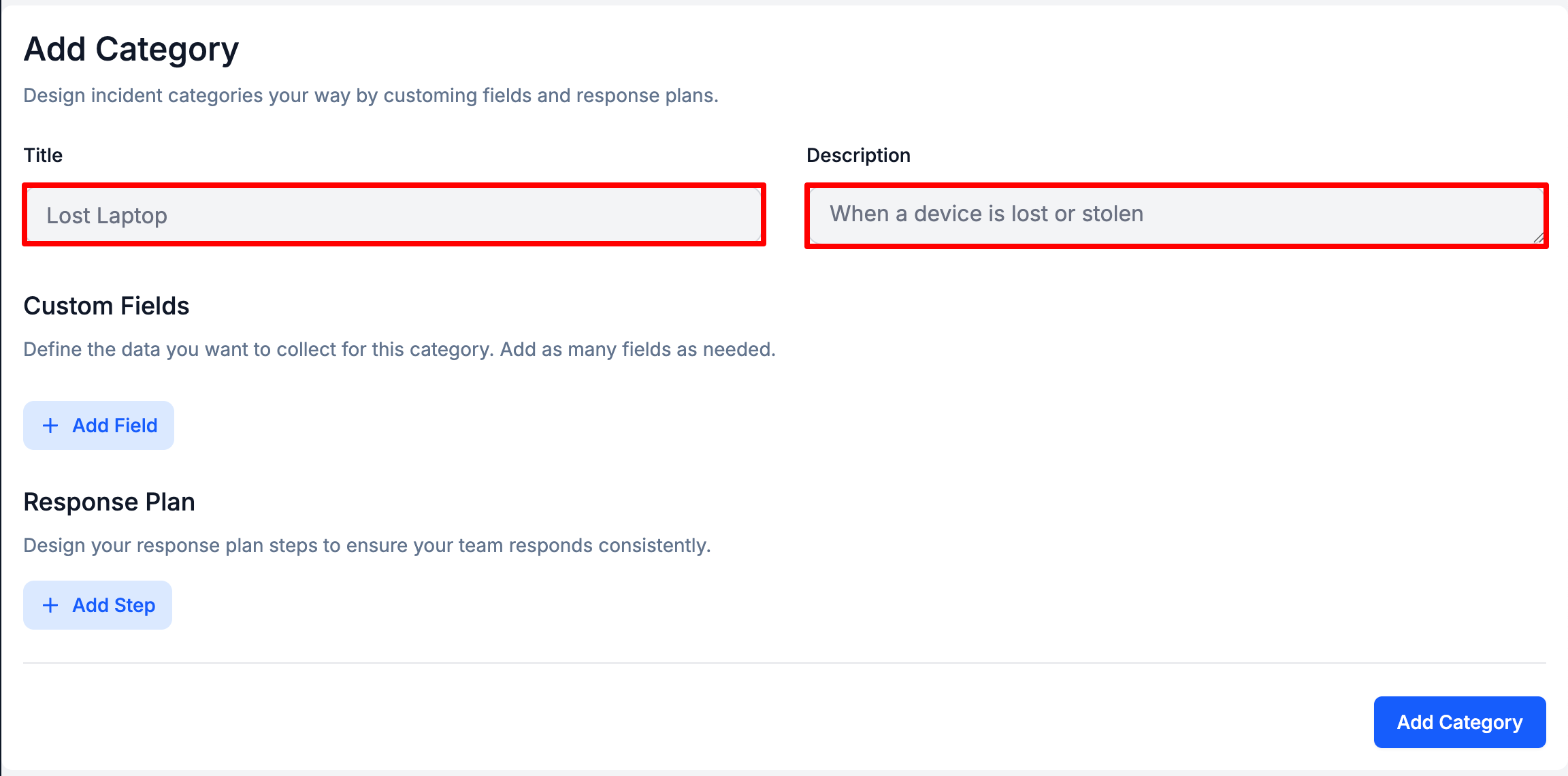
Enter a Title, and optionally a Description
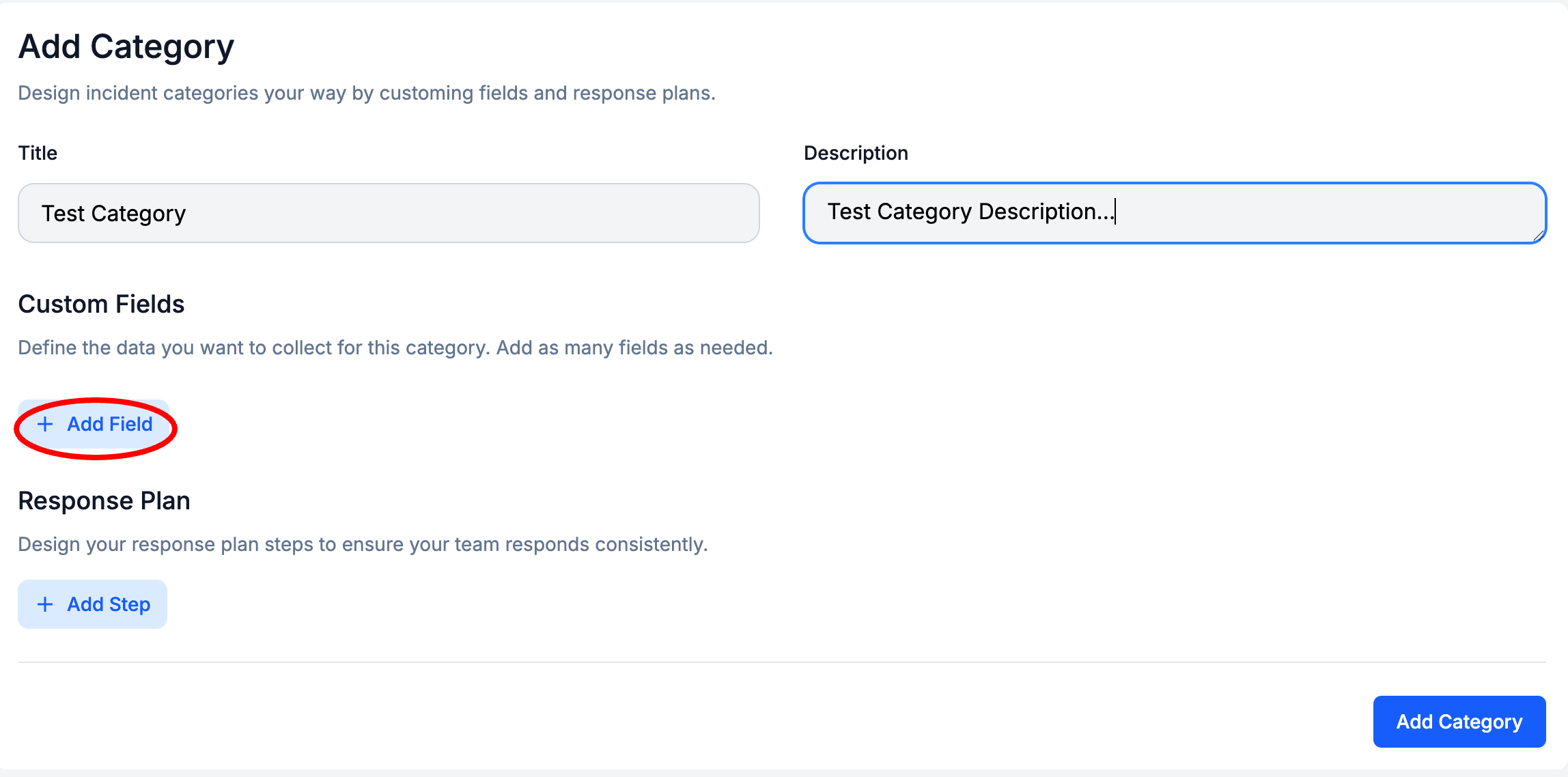
Optionally, to add Custom Fields Select + Add Field
Enter the Custom Field Label and Field Type, and optionally Enter a Tooltip > Select Create Custom Field
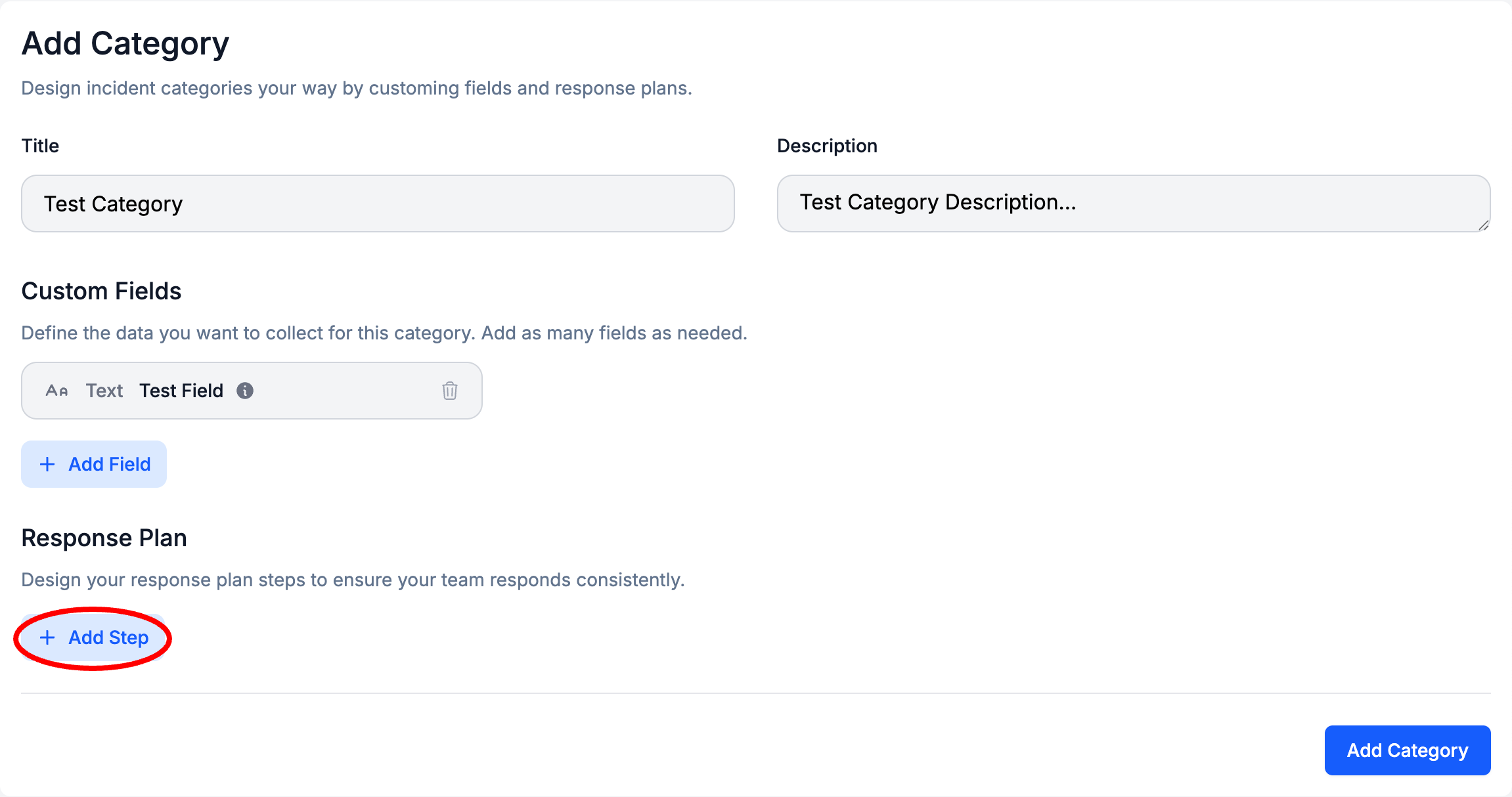
Optionally, to add Response Plan Steps Select + Add Step
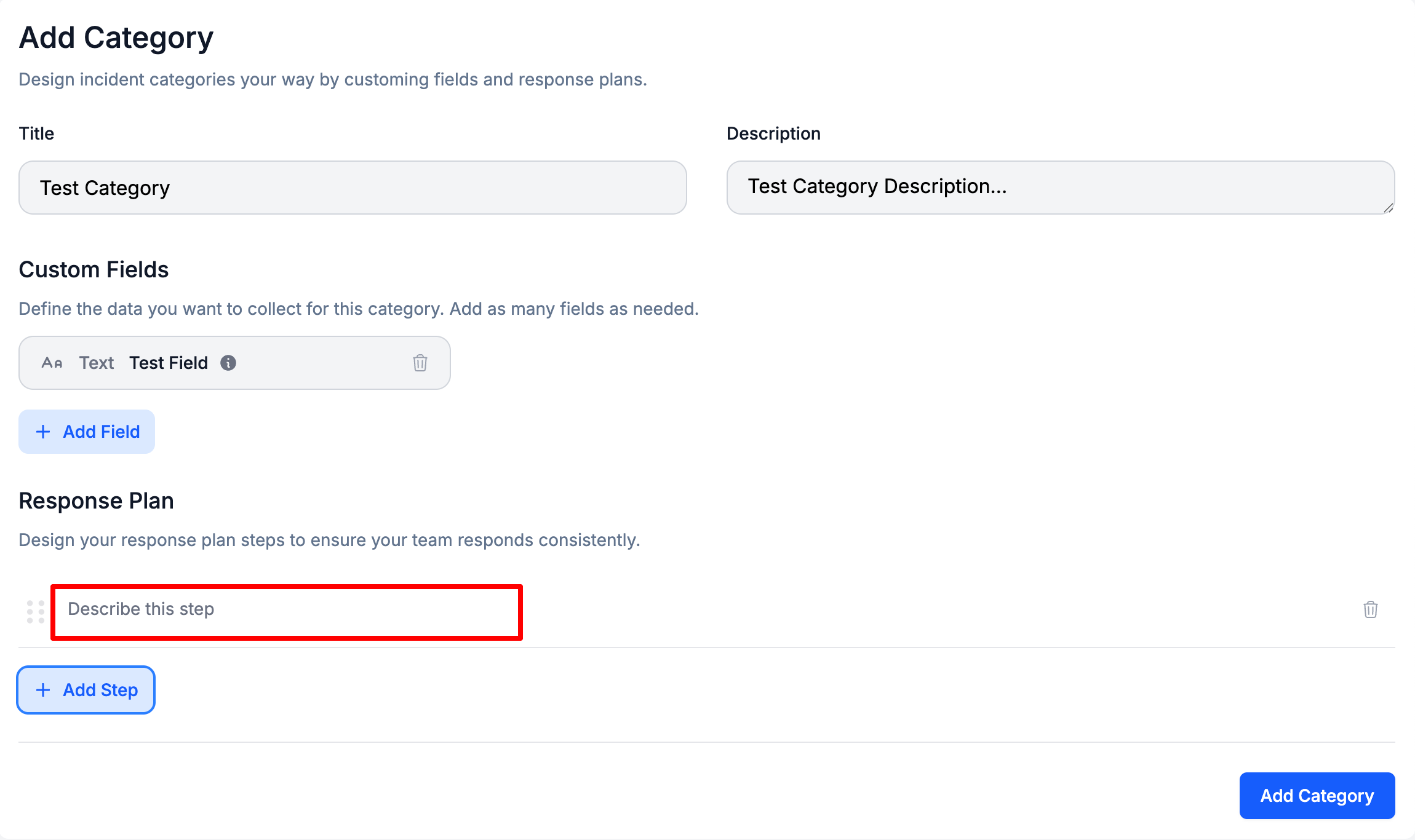
Enter a Step Name
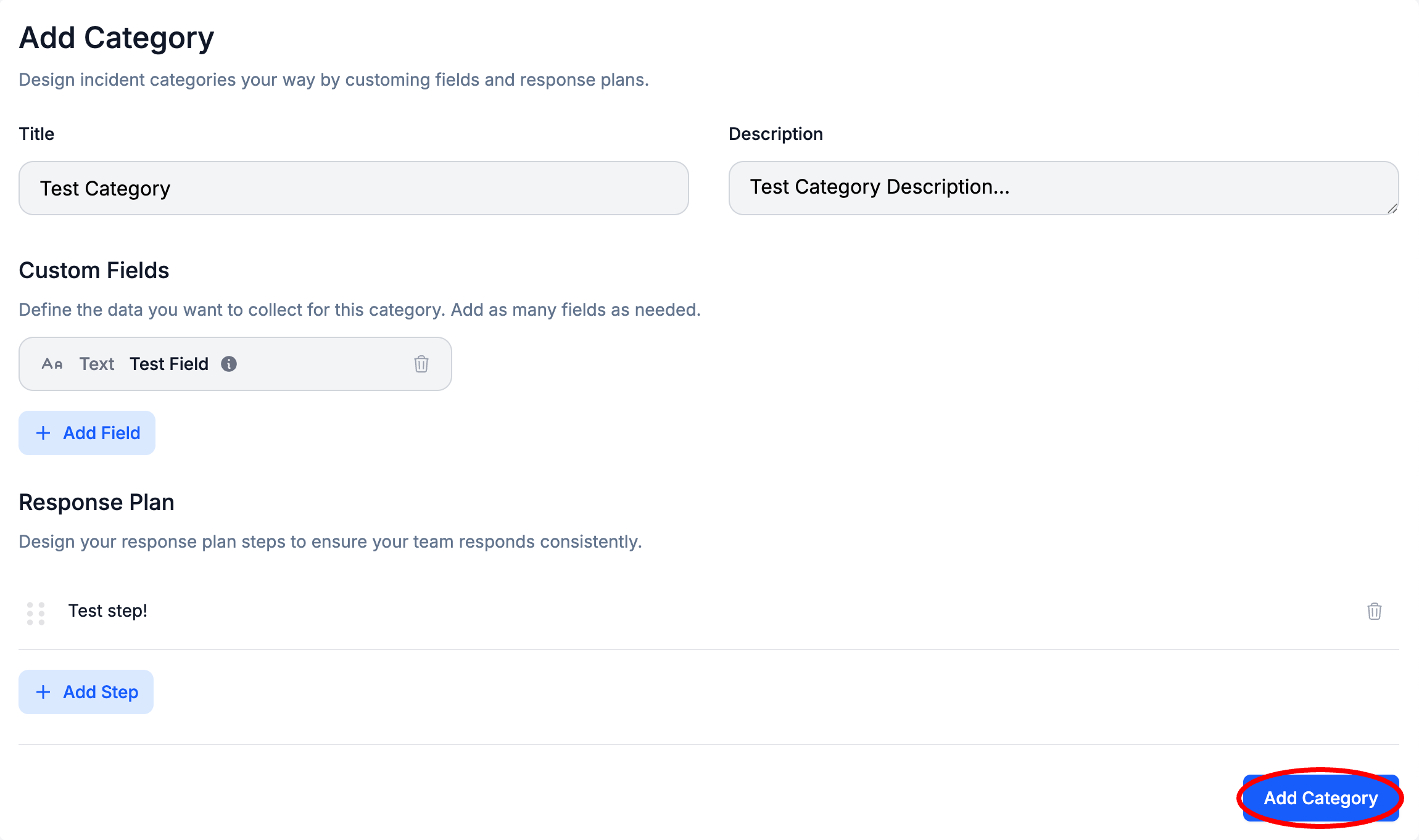
Once done, Select Add Category
Updated 8 months ago