
How to Assign Training
We suggest using Tags to Assign Training! Learn more about How to Create & Assign Smart Tags here.
Steps
Assign Training
Via Smart Tags
Suggested approach!
View your Smart Tags
Learn how to View Existing Smart Tags here. Once done, continue with Assign a Smart Tag(s).
Assign a Smart Tag(s)
Learn how to View an Assign a Tag here.
Via Manual Assignment
From the Dashboard, Select Training in the left sidebar

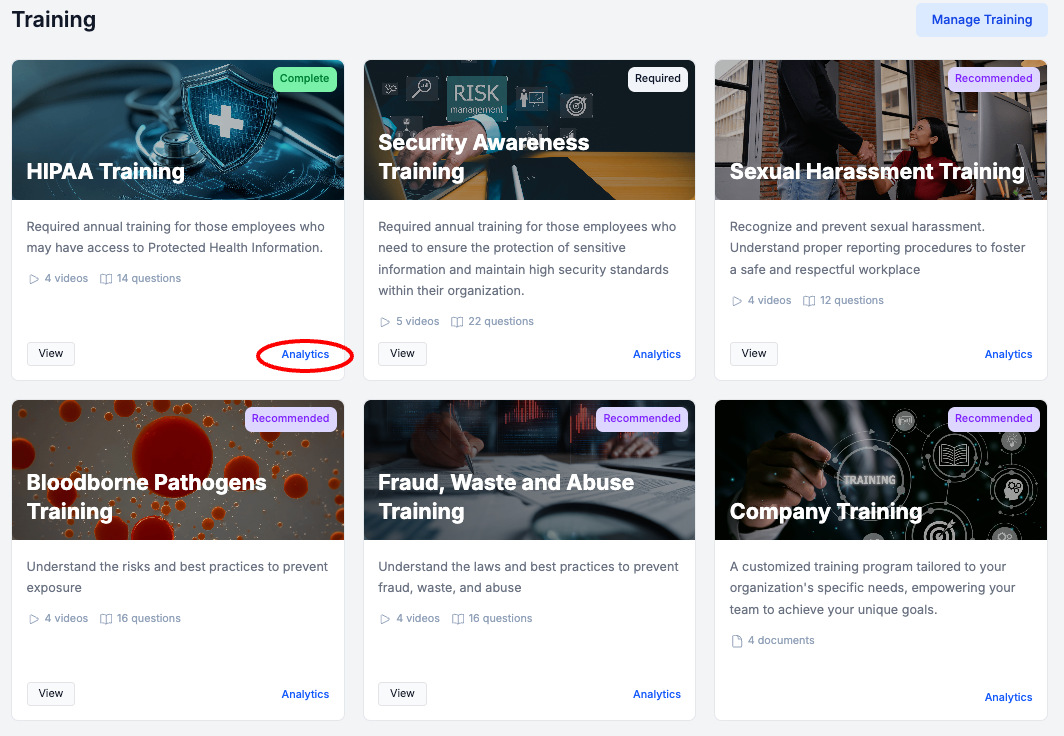
Select Analytics for the Training Course you would like to Assign to Team Members
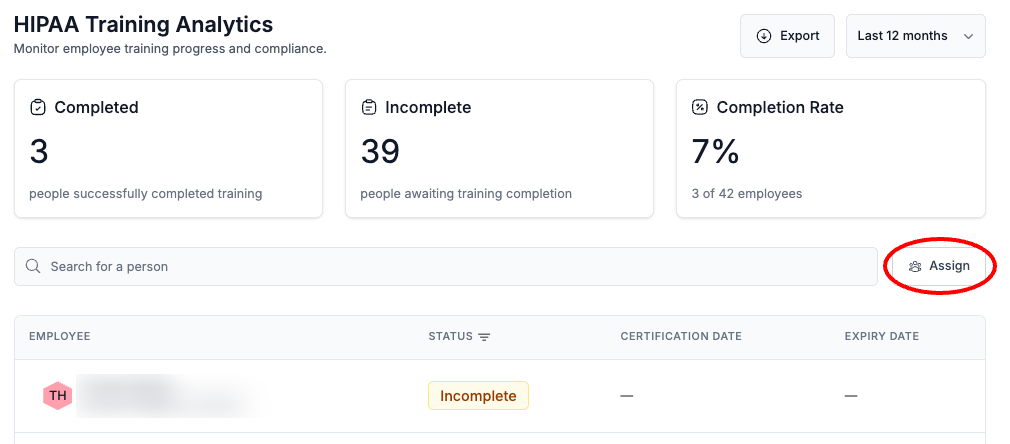
Select Assign
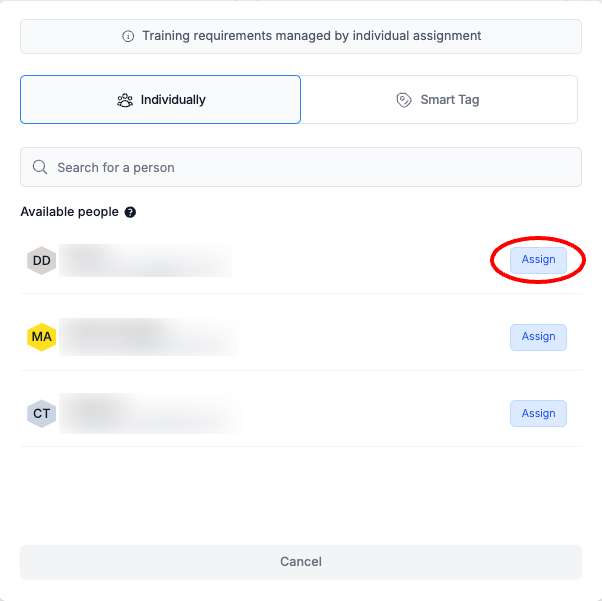
Next to a Team Member, Select Assign
REMINDER: This is a recurring element of HIPAA Compliance. Each of your Team Members need to complete required trainings every 12 months.
Next Steps
Updated about 1 year ago
Did this page help you?