
Invite your Team and Assign Training, Policy & Procedure Attestation, and Incident Reporting Acknowledgement
Under GDPR, Security Awareness Training, Required Policy & Procedure review, and Incident Reporting Acknowledgement is required annually for all Team Members.
Steps
- Create a GDPR Smart Tag
- Invite your Team
Create a GDPR Smart Tag
Tags help you save time in managing employee training and policy reviewing by allowing you to make changes to the one Smart Tag assigned to 100 users, instead of having to edit 100 users.
Steps
- Create a Tag
- Via the People Table
- Via the Invite Team Member Popup
- Assign a Tag
Create a Tag
Via the People Table
From the Dashboard, Select People in the left sidebar

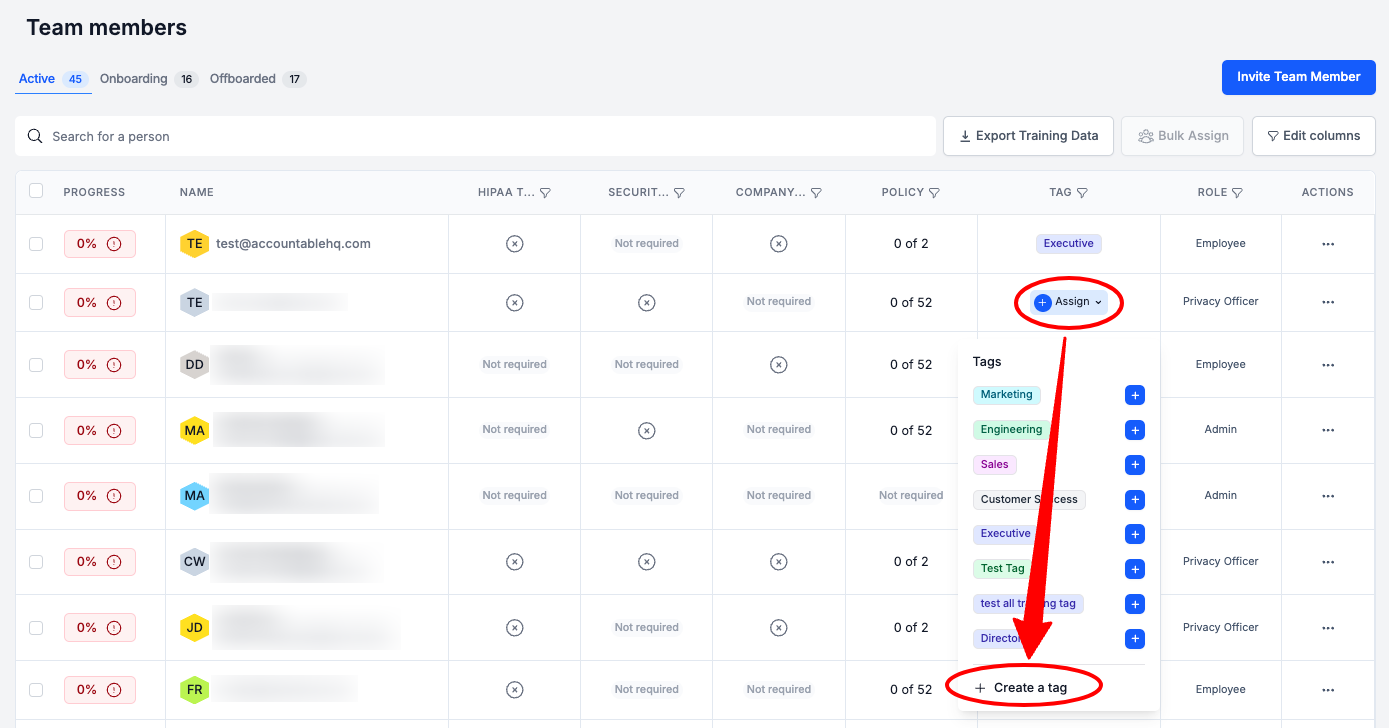
In the Team Members table, in the Tag column, Select Assign > Select Create a Tag
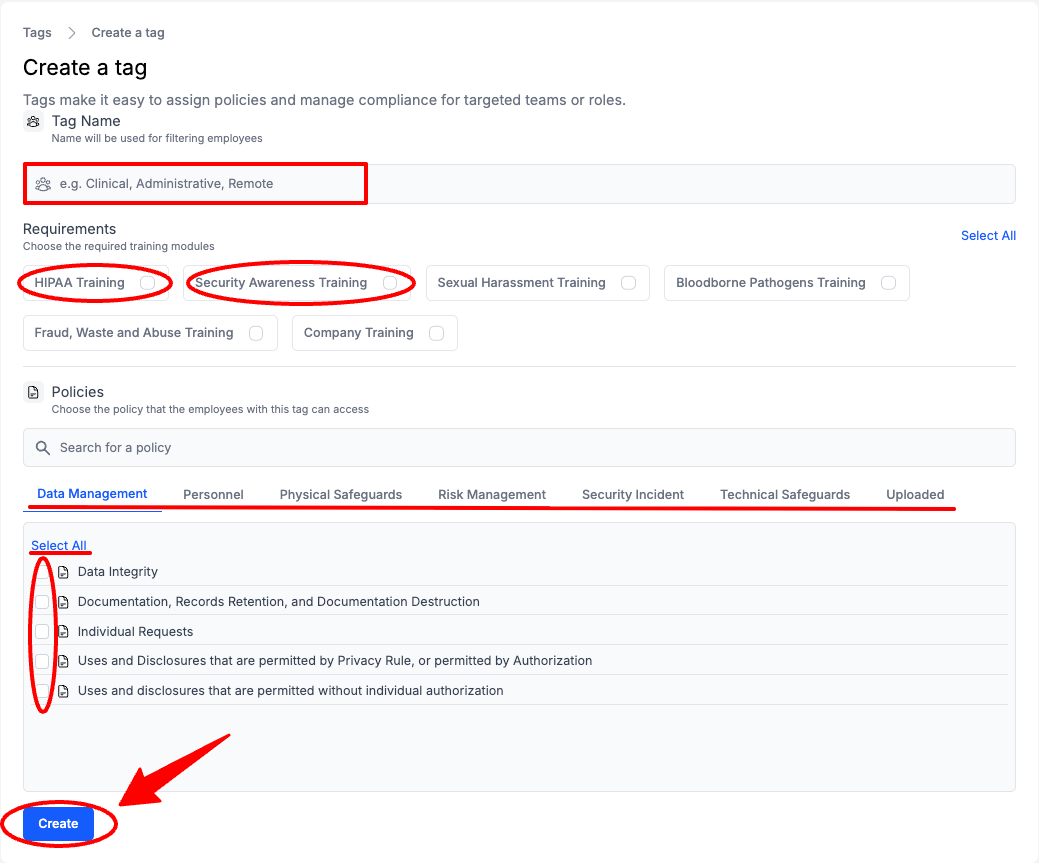
Enter Tag Information (see breakdown below) > Select Create
- Enter a Tag Name: GDPR
- Select the Required Trainings: Security Awareness
-
Security Awareness training is required for all team members under GDPR.
-
- Select the Required Policies to Review
- You can Select All for each Policy Category, or select Policies individually
-
Review your GDPR required Policies & Procedures here.
Via the Invite Team Member Popup
From the Dashboard, Select People in the left sidebar
Select Invite Team Member

Enter Tag Information (see breakdown below) > Select Create
- Enter a Tag Name: GDPR
- Select the Required Trainings: Security Awareness
-
Security Awareness training is required for all team members under GDPR.
-
- Select the Required Policies to Review
- You can Select All for each Policy Category, or select Policies individually
-
Review your GDPR required Policies & Procedures here.
Assign a Tag
From the Dashboard, Select People in the left sidebar
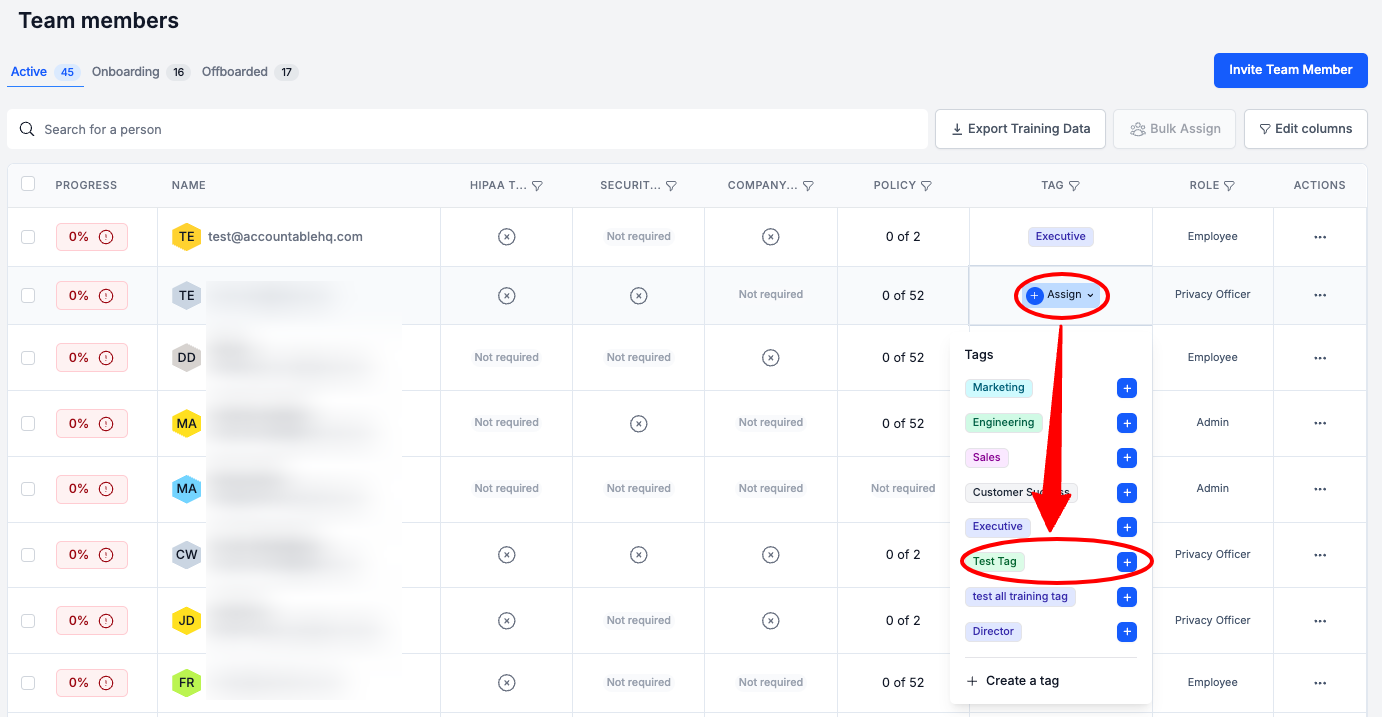
In the Team Members table, in the Tag column, Select Assign > Select a Tag
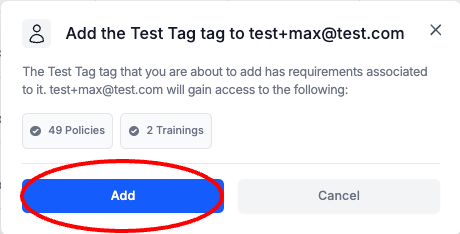
Select Add
Invite your Team
Steps
Invite a Team Member
From the Dashboard, Select People in the left sidebar

Select Invite Team Member

Manual Input
Enter User Info (see breakdown below) > Select Invite
- Enter Team Member Email Addresses in a comma separated list
- Assign your GDPR Tag
If you Select or Create a Tag, you will not be able to manually Select Requirements.
- Optionally, individually Select Requirements
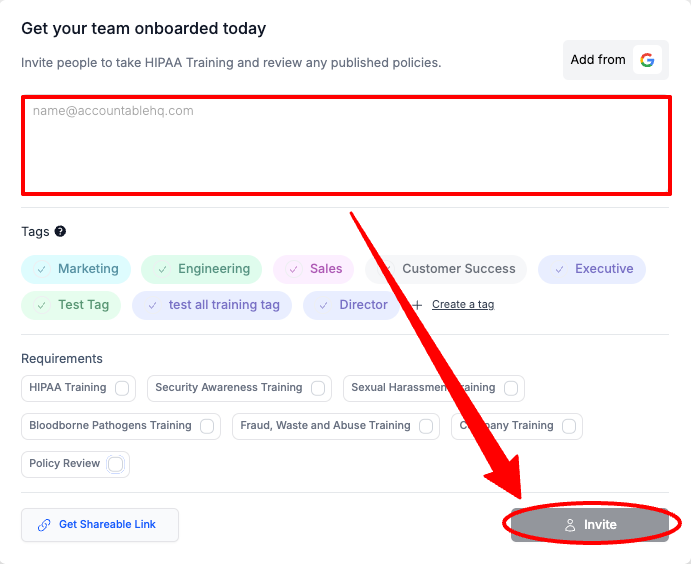
Sharable Link
Select Get Shareable Link
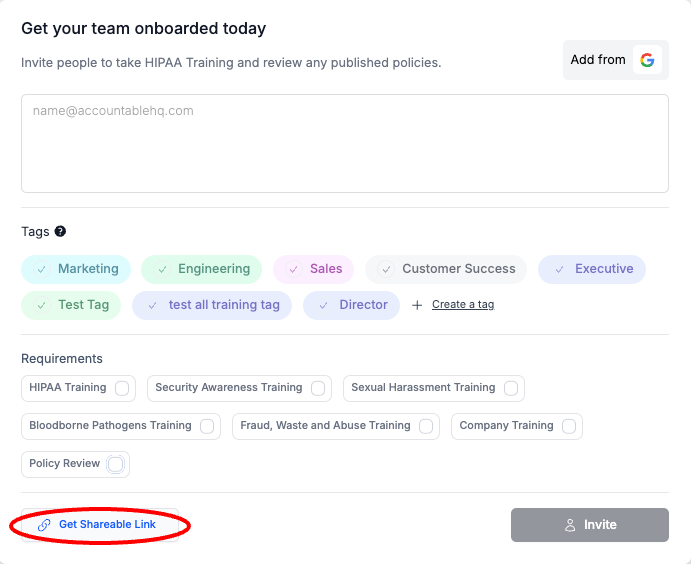
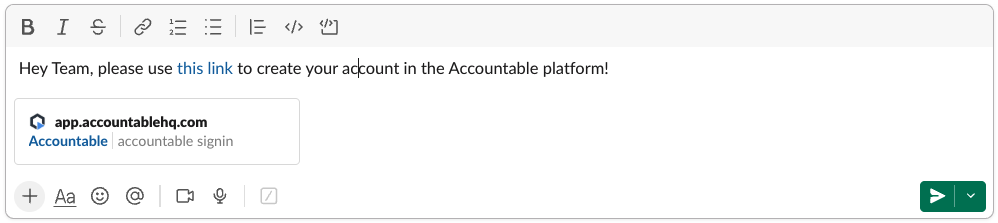
Paste the Link that was Copied to your Clipboard in a communication to your Team Member(s).
Example:
Integration Import
Select Add from Google/Microsoft
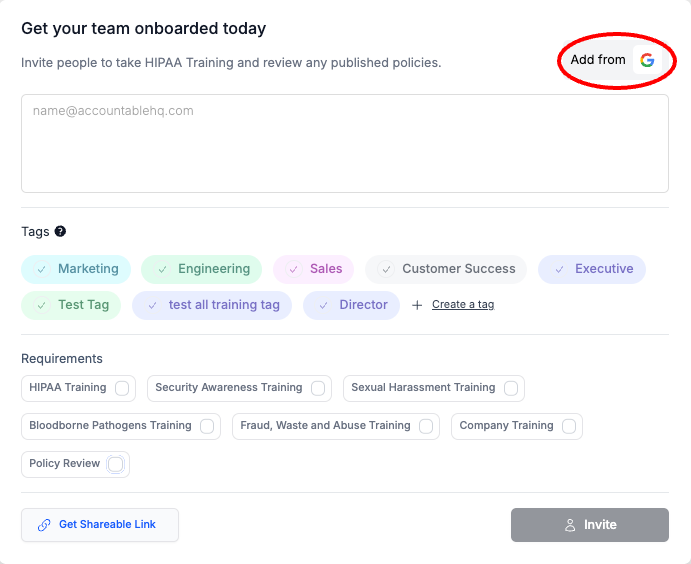
Select an Account you would like to connect
You must be an admin user in your Organization's Google/Microsoft account, to complete this step.
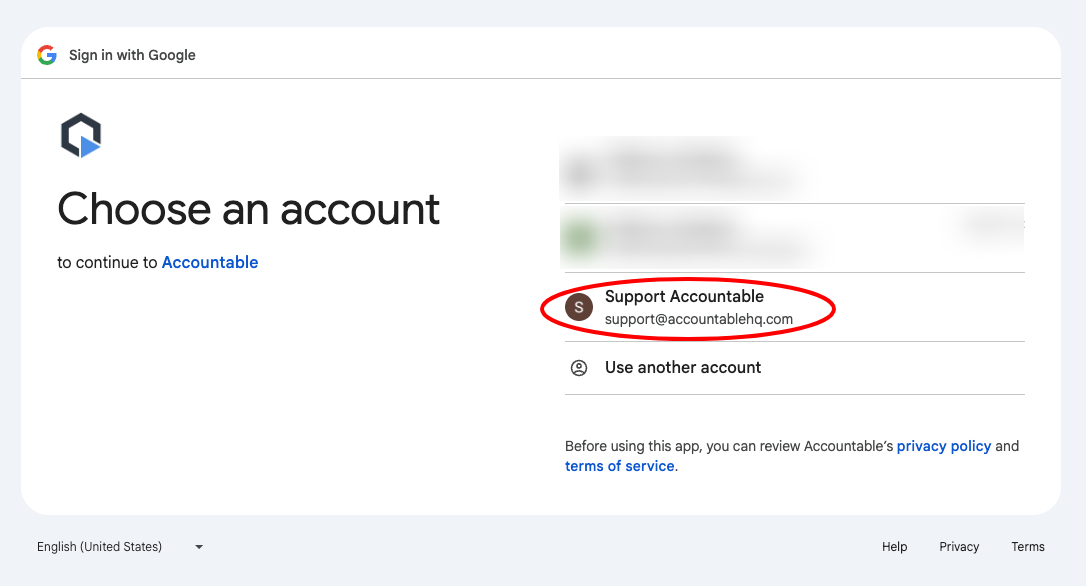
Complete sign in steps, and give permission to import users.
Updated 6 months ago