
How to Setup Accountable's Privacy Center
Steps
1. Setup Domain
From the Dashboard, Select Customer Trust > Select Privacy Center
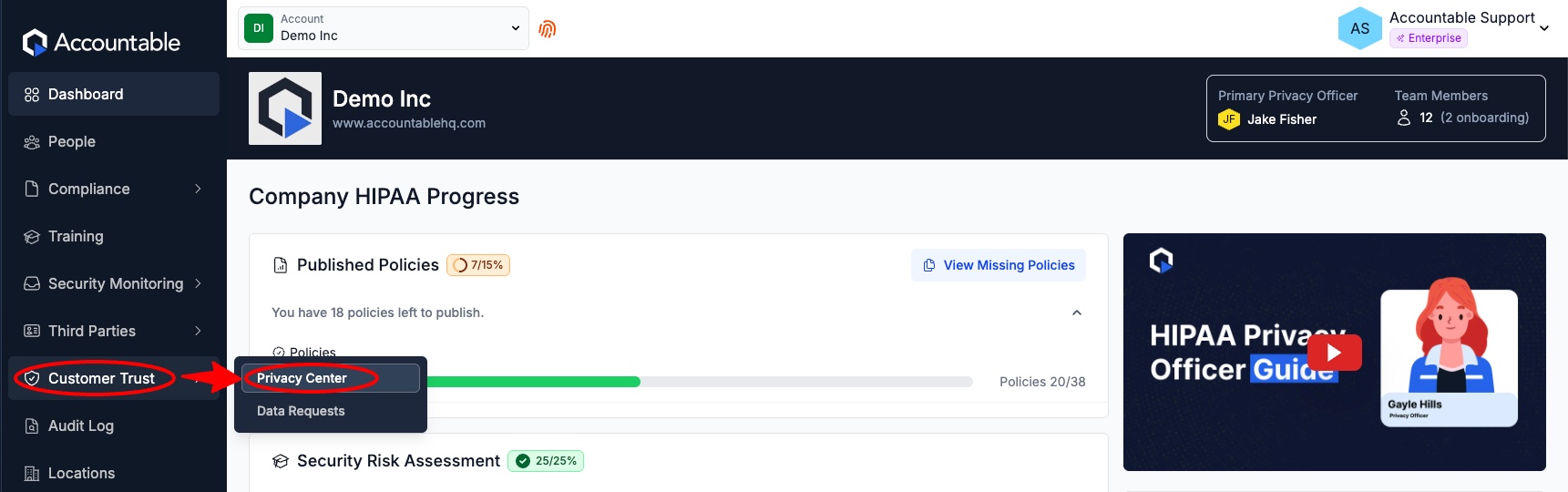
Now, decide if you would like Accountable to host your Privacy Center as a subdomain of our domain or under your own custom domain.
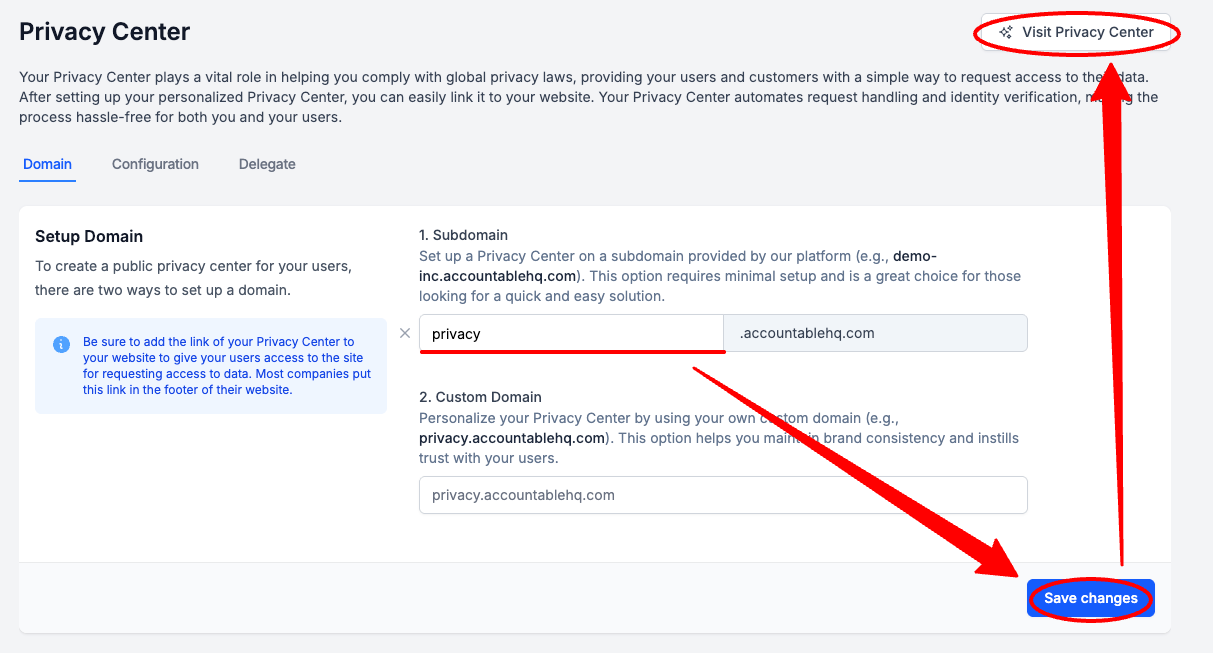
Subdomain
We can host your Privacy Center as a subdomain of your own, for free!
This means your Privacy Center URL will contain "accountablehq" (example: [name you choose].accountablehq.com)
The Visit Privacy Center button will not work until you have either entered a subdomain name or a custom domain and saved.
Enter a Subdomain Name (you will see a suggested name, based on your Account Name, in grey text) > Select Save Changes
- Optionally, Select Visit Privacy Center if you would like to see what your Privacy Center looks like
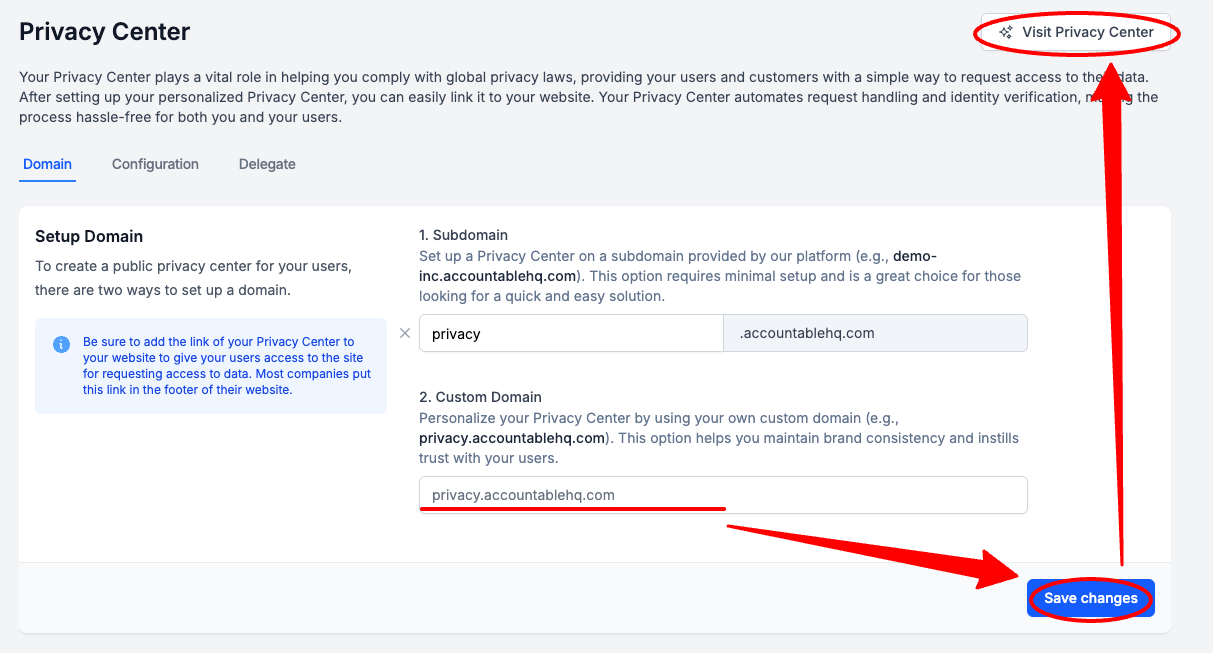
Custom Domain
We can deploy our Privacy Center to your custom domain, for free!
Enter a Custom Domain > Select Save Changes > optionally, Select Visit Privacy Center if you would like to see how your Privacy Center looks
2. Configure
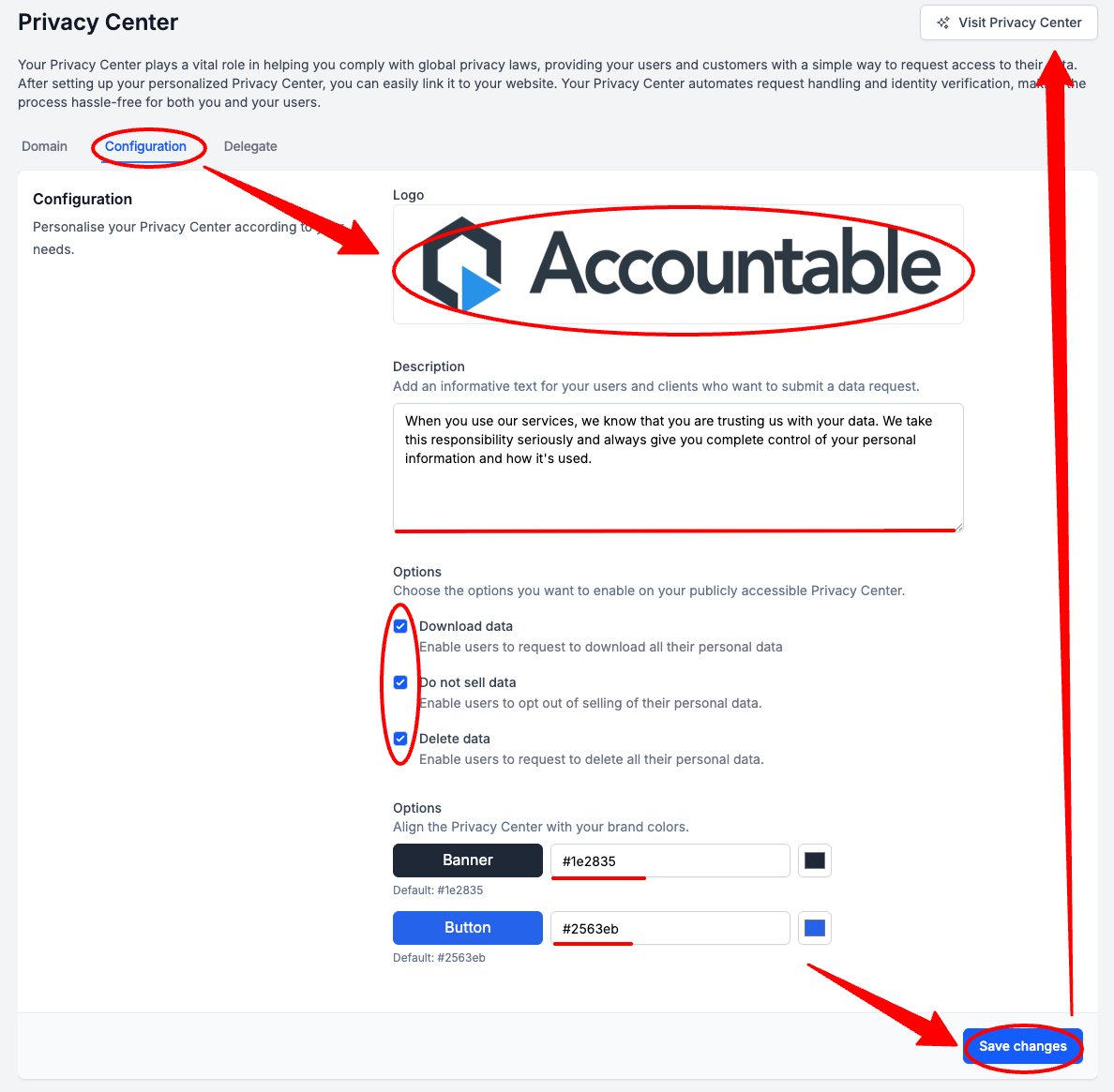
Select the Configuration Tab > Complete the below configurations > Select Save Changes > optionally, Select Visit Privacy Center if you would like to see how your updated Privacy Center looks
- Optionally, upload your Company Logo
- Optionally, add a Privacy Center Description
- Optionally, Select or Deselect your desired Privacy Center user options
-
HIPAA Compliance Requirements: If you are a Covered Entity, you are required to provide a Privacy Center with the Download data and Do not sell data Options selected.
GDPR Compliance Requirements: You are required to provide a Privacy Center with the all three options, Download Data, Do not sell data, and Delete data, selected.
- Optionally, enter your organization's brand color HEX codes
3. Delegate
This is an optional step.
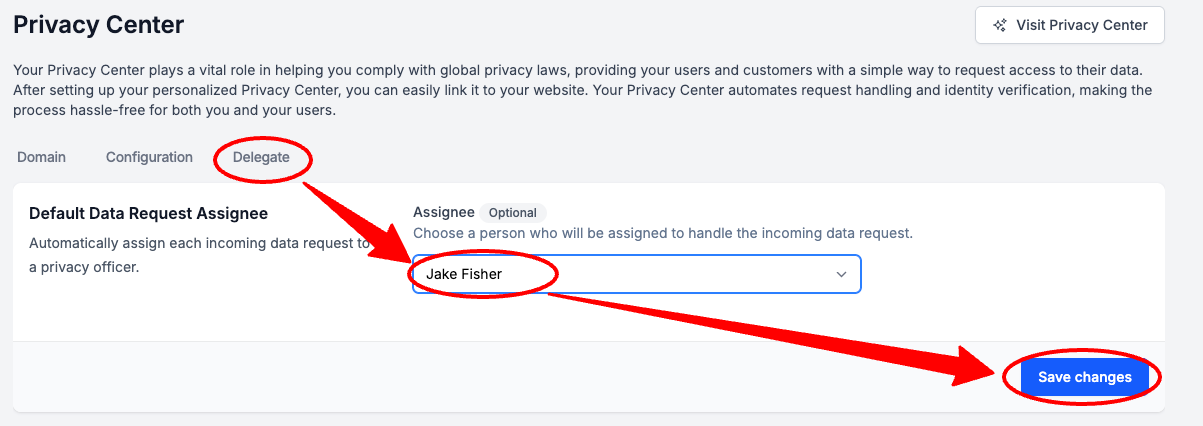
Select the Delegate Tab > Select the Assignee Dropdown > Select a Default Assignee > Select Save Changes
The Default Assignee must be an Admin User. Learn How to Assign Admins here.
4. Add Privacy Center to Website
If you are required to provide a Privacy Center, it is generally also required that it be accessible to users. This is often accomplished by making it accessible via your website.
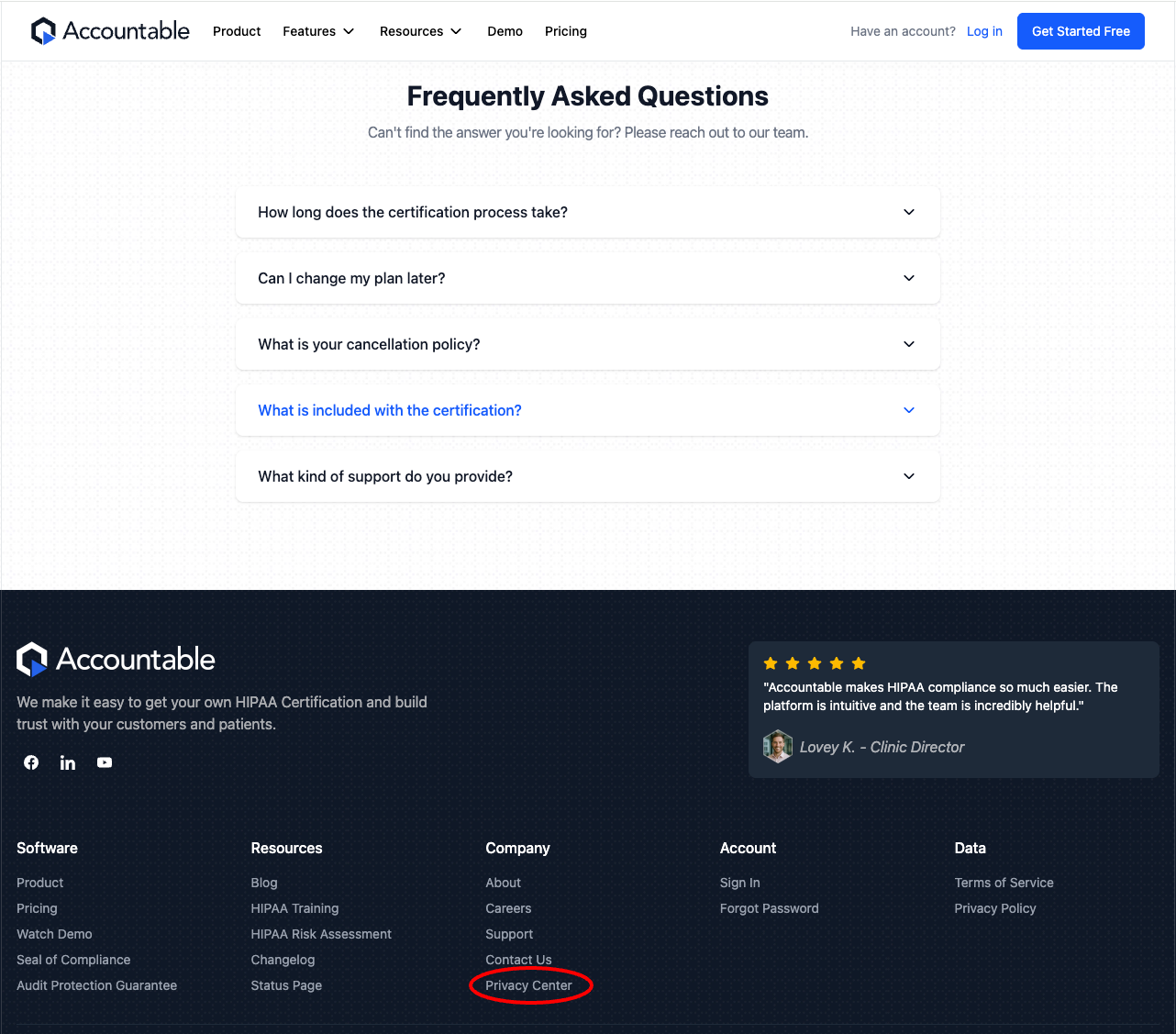
Best practice is to list your Privacy Center in your Website's footer.
Example:
Updated 7 months ago