
Risk Questionnaire
This is not a HIPAA Requirement.
Under HIPAA, if you work with Vendors that do not have up to standard security posture and/or are not compliant, you could also be liable if they have a security incident.
Optionally, you can send your BAs Vendor Risk Questionnaires to enable yourself to better judge their security & compliance posture.
If you are concerned about your BA's security posture and/or compliance, it is best practice to send them a Risk Questionnaire. Once filled out, if their answers do not meet your standards, you should consider using a different third party.
Steps
- Create Third Party Profile
- Send VRAQ
Create Third Party Profile
If you already have a Third Party Profile created for your Third Party, the skip this step!
Learn how to create a Third Party Profile for your Third Party here.
Send VRAQ
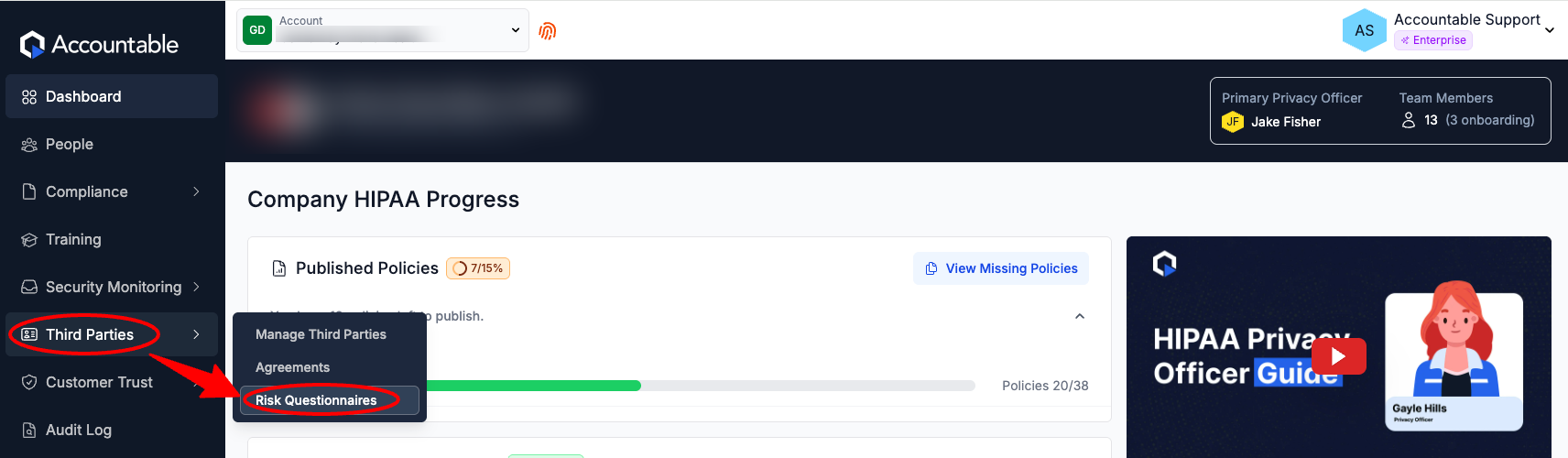
From the Dashboard, Select Third Parties in the left sidebar > Select Risk Questionnaires
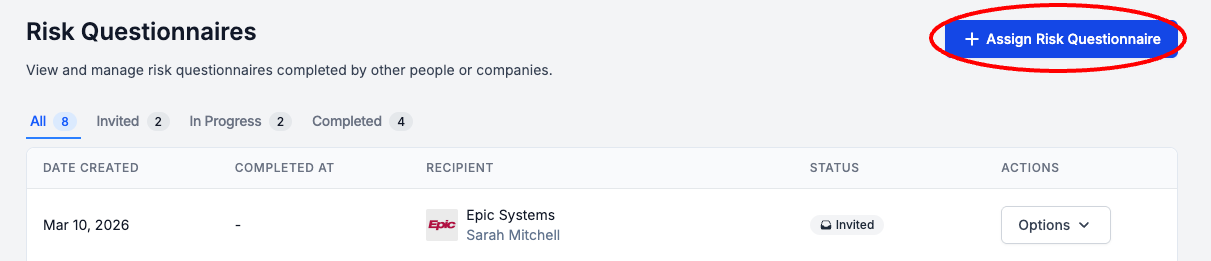
Select Assign Risk Questionnaire
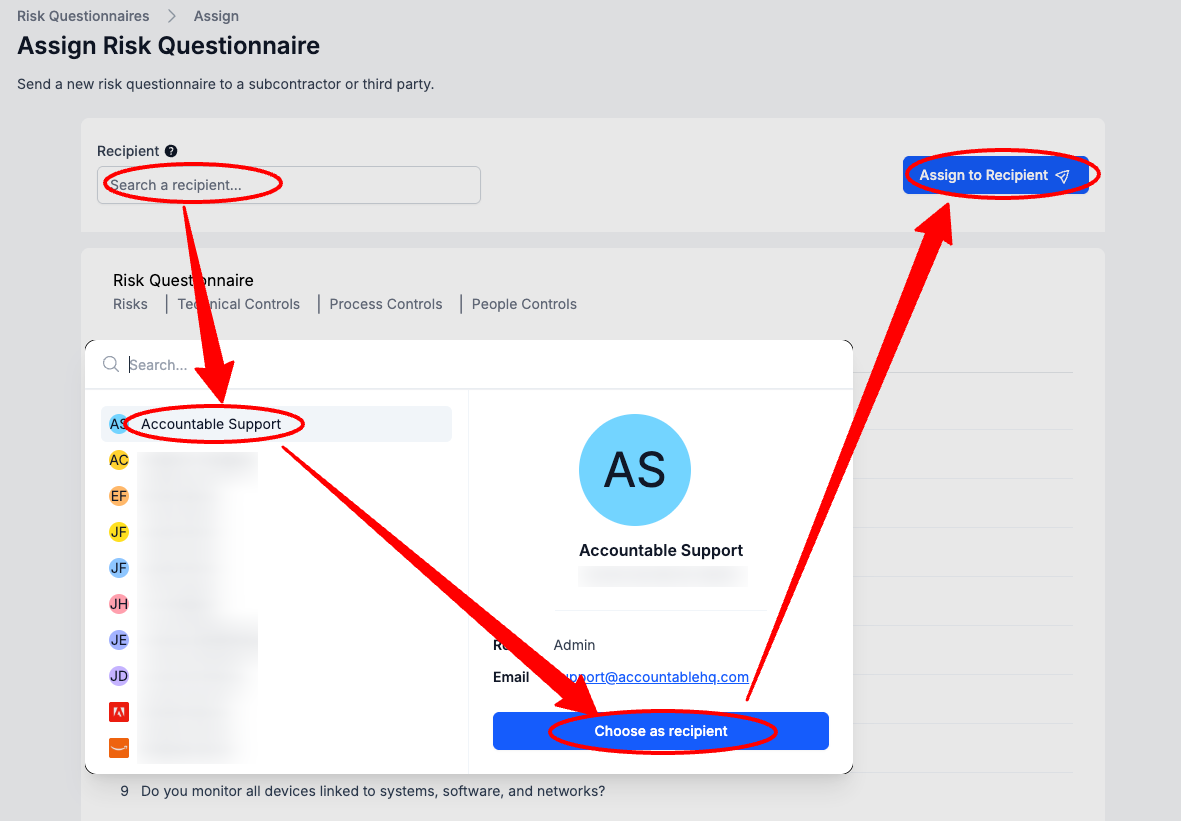
Select the Recipient Dropdown > Select a Third Party Recipient > Select Choose as Recipient > Select Assign to Recipient
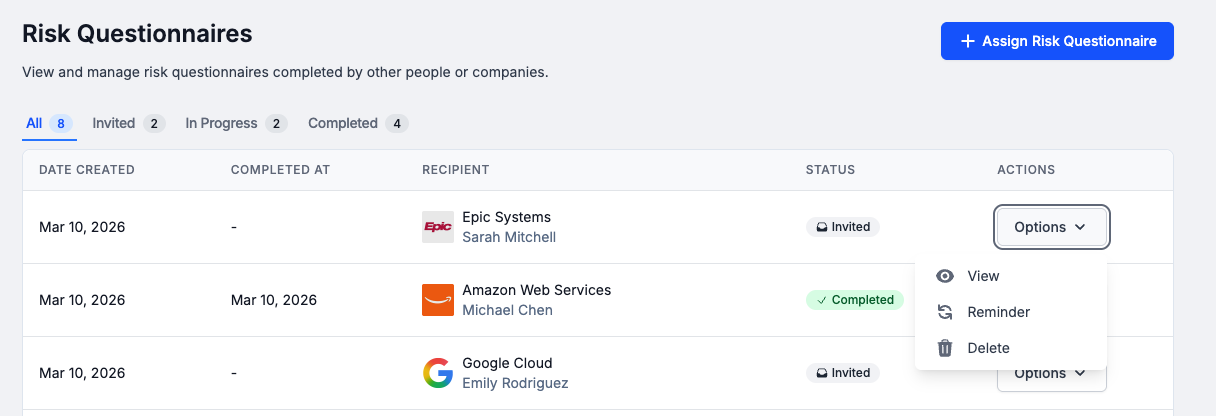
Once sent, you will be able to see the Status of the Risk Questionnaire (Invited, In Progress, Completed), View their responses, and Send Reminders.
Updated 7 months ago